
It's 21:40 on a Tuesday. You told your duo you'd be on "around nine," he said "same," and the two of you have spent forty minutes typing "you ready?" into a group chat. He meant nine his time. You meant nine yours, after the kids went down. Nobody has played a game.
That's not a personality flaw. It's a recording problem. Most players describe availability as a feeling (evenings, weekends, whenever I'm free), and a feeling can't be compared against anyone else's.
What compares is a set of recurring windows written in the same fields by everyone on the squad, with a pacing rule attached so the plan survives a real week of work, school and late nights. Building one takes less time than the argument it prevents.
Table of Contents
- Schedule Fields to Record Before You Look for Teammates
- How Many Hours and Days to Plan Around
- Why Schedule Overlap Matters More Than Free Time
- How to Build a Shared Gaming Schedule Step by Step
- Pacing Sessions to Avoid Fatigue
- Where to Share Your Schedule and Find Compatible Teammates
- Fixing Common Schedule Conflicts
- Start Your First Shared Schedule This Week
Schedule Fields to Record Before You Look for Teammates
Three players answer a squad listing that says "evenings, NA." One is free at 18:00, one at 23:00 after a closing shift, one only on Friday. All three told the truth. The listing never asked a question precise enough to answer.
Treat a gaming schedule as a short shared record of when you play, not a calendar of every free hour you own. Seven fields cover it, and every player fills them the same way.
| Field | What to enter | Example |
|---|---|---|
| Play days | Days you can reliably play | Tuesday, Thursday, Saturday |
| Start and end window | Local start and end time | 19:00 to 21:30 |
| Time zone | The zone the window is stated in | UTC+1 or EST |
| Session length | Longest block you can commit to | 2 hours |
| Session type | Ranked, casual, practice, warm-up or social | Ranked |
| Break cadence | Games or minutes before a break | 2 to 3 games, then 10 minutes |
| Reliability | Usually, sometimes or rarely | Usually |
The field that causes the most damage is time zone. A window written as 19:00 in UTC+1 is 18:00 UTC, which is lunchtime in New York and 3 a.m. in Seoul. Two players can each be telling the truth and still miss each other by eight hours. Write the zone on the same line as the time, always.
The second most misunderstood field is reliability. It isn't a confidence rating. It's a count of how often the window happened in the last month: usually means three weeks out of four, sometimes means one or two, rarely means it exists in theory.
One player's row, fully written: Tuesday and Thursday, 19:00 to 21:30 UTC+1, ranked only, two or three games then a ten-minute break, usually available.
Before you message a single person, fill in your own seven fields. If any field has two possible values, you haven't decided yet, and the squad will end up deciding for you. The same questions you'd ask a stranger are the ones worth asking yourself first, which is the logic behind the questions worth asking a potential teammate.
How Many Hours and Days to Plan Around
Weekly play volume sets how many windows you can promise. Typical play varies across player groups.
| Player group | Time played | Source |
|---|---|---|
| Average gamer | 7.3 hours per week | ClickSpeedTester global survey |
| PC and console players | 2.1 hours per day | Newzoo Global Gamer Study |
| Mobile players | 1.6 hours per day | Newzoo Global Gamer Study |
| Mobile players | 3.4 days per week | Newzoo |
| Console and PC players | 2.6 to 2.7 days per week | Newzoo |
In 2024, the average gamer spent 7.3 hours per week playing video games, based on a global survey of 1,200 adult gamers published by ClickSpeedTester. Put that on a calendar and it becomes two blocks of about three and a half hours, or three blocks of roughly two and a half.
The average is only a starting point, though. It hides the shape of the week. Mobile players show up on more days for shorter stretches, while PC and console players concentrate their time into fewer, longer blocks. A player on a two or three day rhythm needs two or three recurring windows. A player who spreads seven hours across five short evenings needs five narrow windows instead, or two flexible ones that absorb the rest.
Turning a benchmark into a window count
Match your number of rows to your days, not to your hours. If you play three days a week, three rows with clear start and end times will do more for you than seven rows you can't keep. If you play daily but only for an hour, one row per evening is the honest record.
These figures come from different surveys, different years and different definitions of a gamer. Treat them as planning benchmarks, not targets to hit. Some weeks you'll clear them easily, and exam weeks you won't.
Estimate your own weekly hours, find the nearest row above, and set your window count to match that rhythm.
Why Schedule Overlap Matters More Than Free Time
A bus timetable only helps where the bus and the rider are at the same stop at the same moment. A gaming schedule works the same way. The value isn't in how many hours each player has. It's in where those hours overlap.
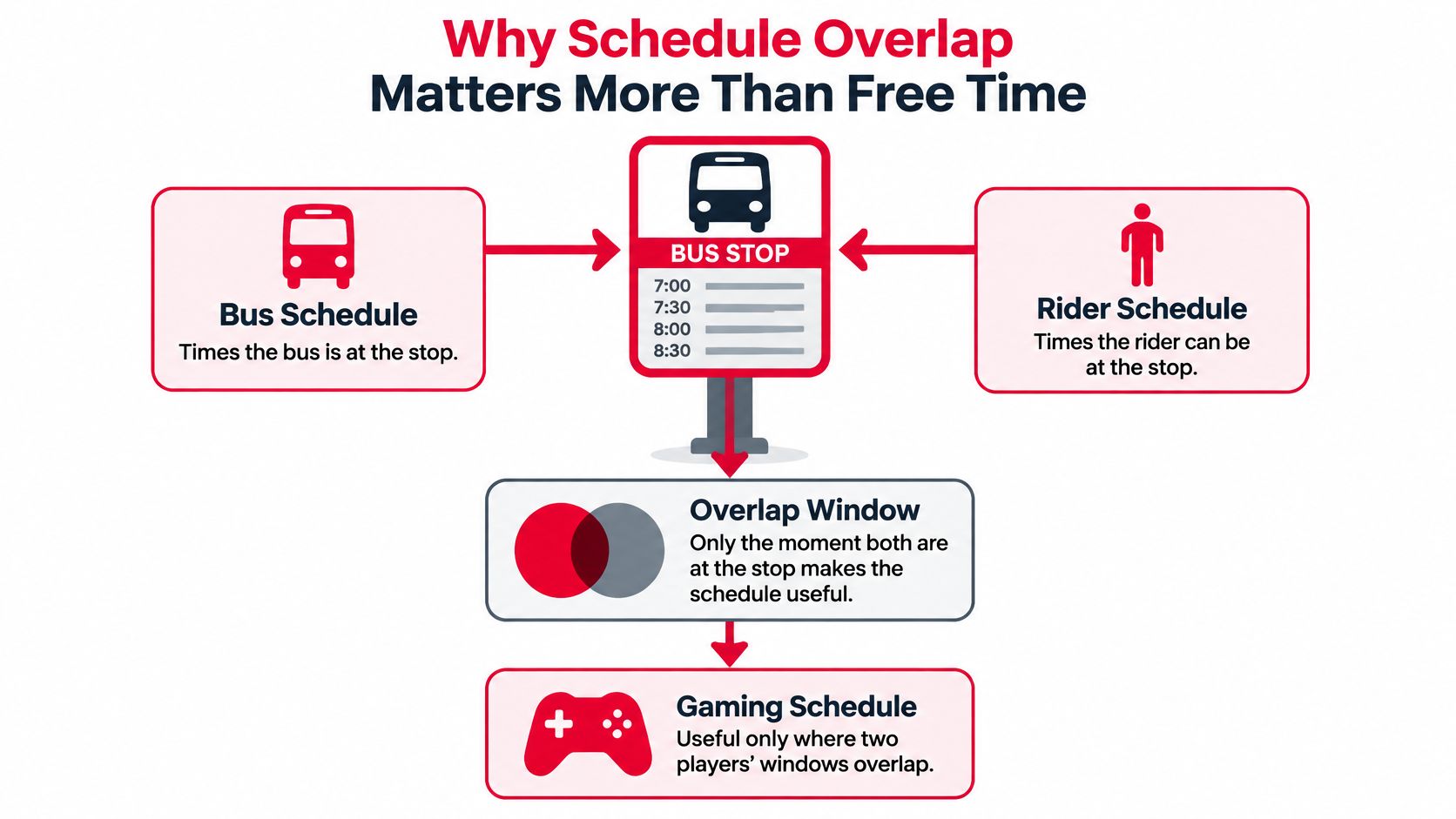
Run the numbers on two real players. Player A is free 18:00 to 22:00 on weekdays. Player B is free 20:00 to 23:00 from Tuesday to Thursday. The overlap is 20:00 to 22:00 on Tuesday, Wednesday and Thursday: two hours, three days, repeatable. That pattern is what makes a duo stick. The raw hours are decoration.
Players rarely sit in one block per day, either. In 2025, 78% of weekly players engaged with games across two or more daily time periods, according to Microsoft Advertising's Gaming's Next Level report. One player might take a lunchtime session and a late-night session on the same day. Record both, in separate rows, or you'll keep offering a 21:00 slot to someone who only ever plays at 13:00.
An "online now" badge shows a moment. It says nothing about a rhythm, which is why two players can both appear online every night and never once queue together.
The check that settles most arguments: write two names at the top of a sheet, list every window for each, and circle only the times where both are free on at least two days in the same week. One shared day is a coincidence. Two shared days is a squad.
How to Build a Shared Gaming Schedule Step by Step
Assemble the sheet once, in order, and the rest of the week runs itself.
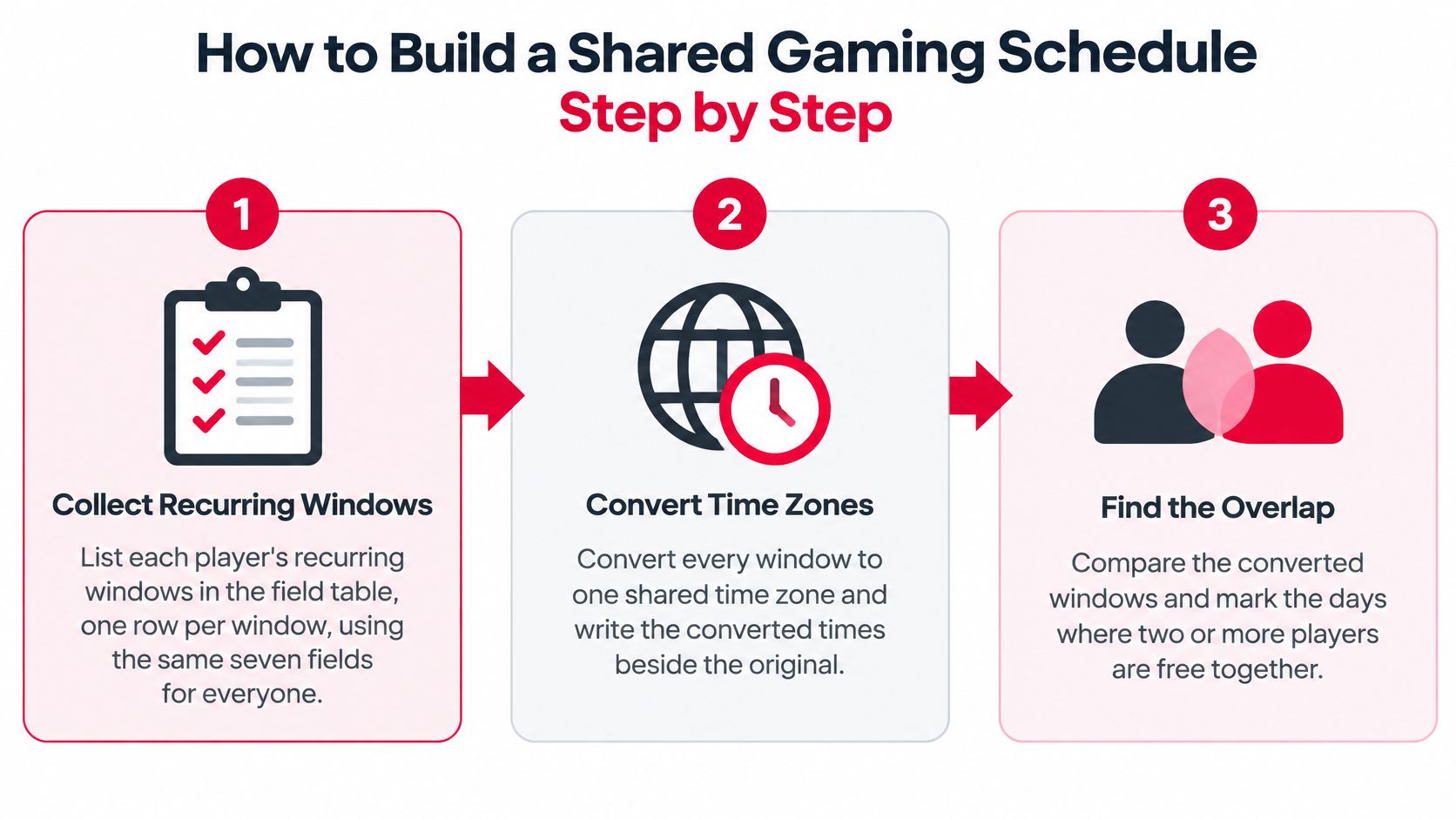
Collect one row per window. Everyone fills the same seven fields, and a player with two separate blocks gets two rows. Without that consistency, you're comparing a paragraph with a spreadsheet.
Convert everything to one shared time zone, then write that zone at the top of the sheet. Late conversion is the most common cause of wrong start times, especially when a squad spans continents. Convert as you collect, and keep the original beside the converted time so a mistake is visible.
Keep only overlap that happens twice a week. A shared hour on one day is a one-off favour. Two shared days is a rhythm you can build a ranked block around.
Cap the session at the shortest limit anyone can hold. If one player has 90 minutes and another has three hours, the block is 90 minutes. As a sizing check, the 2024 Newzoo Global Gamer Study found PC and console players averaged 2.1 hours of gameplay per day and mobile players 1.6, so a block near two hours is a sensible default rather than a quota.
Give each slot a session type. Ranked in one, warm-ups and reviews in another. Mix them and someone queues for a serious climb while someone else is testing a new loadout.
Set a confirmation deadline, usually 24 hours before the first session. No-shows surface while there's still time to fill the slot instead of surfacing at the start time.
Review after two weeks and drop any window missed more than once. A slot nobody keeps isn't a schedule, it's a recurring apology.
Once the sheet exists, pin it where the squad already talks, for example in the squad group chat, so nobody has to scroll to find the times. Households that share one evening, whether parents, shift workers or students on the same desk, can borrow the same discipline from fair scheduling access for every family, which treats a calendar as a shared agreement rather than a personal wish list.
The finished artefact is small: one sheet, two or three fixed slots, the shared time zone printed at the top, and a named owner for each slot.
Pacing Sessions to Avoid Fatigue
Two rules do most of the work here: space your sessions, and cap how many you play back to back.
A 2022 observational study of 162,417 League of Legends players found that distributed practice, spacing matches across longer time windows, produced better performance than massing play into short bursts, and that the effect showed up after roughly 100 games (the study in PMC). A separate study of 5,000 League of Legends players found performance declining as the number of consecutive matches increased without adequate rest (ACM Digital Library).
How many days to spread across depends on your platform. In 2024, mobile players gamed an average of 3.4 days per week, compared with 2.6 to 2.7 days per week for console and PC players, according to Newzoo. Fewer days means longer blocks, which makes the consecutive-match cap more important, not less.
| Session type | Pacing rule | Best for |
|---|---|---|
| Ranked climb | Two or three games, then a break | Focused, high-stakes queues |
| Casual squad | Stop when energy drops | Warm-up and social play |
| Tournament practice | Fixed block with the same team each time | Bracket preparation |
| Warm-up or review | Short block before ranked play | Mechanics and communication checks |
| Mic-off or social | Open-ended, flexible length | Friends who want low pressure |
These are research associations, not universal laws. The studies are specific to one title, and no source establishes a single correct break length for every game. Treat the numbers as a starting cap you adjust from your own record of how game four usually goes.
Social sessions deserve their own pacing rule. Gallup polling cited in the ESA's 2025 industry data found that 83% of U.S. adults regularly play alone, while only 28% regularly play online with friends or family, so a squad's social night is a deliberate choice rather than a default. Give it a looser cap and no rank pressure. If motivation rather than stamina is what keeps dropping, why you feel unmotivated is a better diagnosis than a longer session. Set a pacing rule for each session type before the schedule goes out.
Where to Share Your Schedule and Find Compatible Teammates
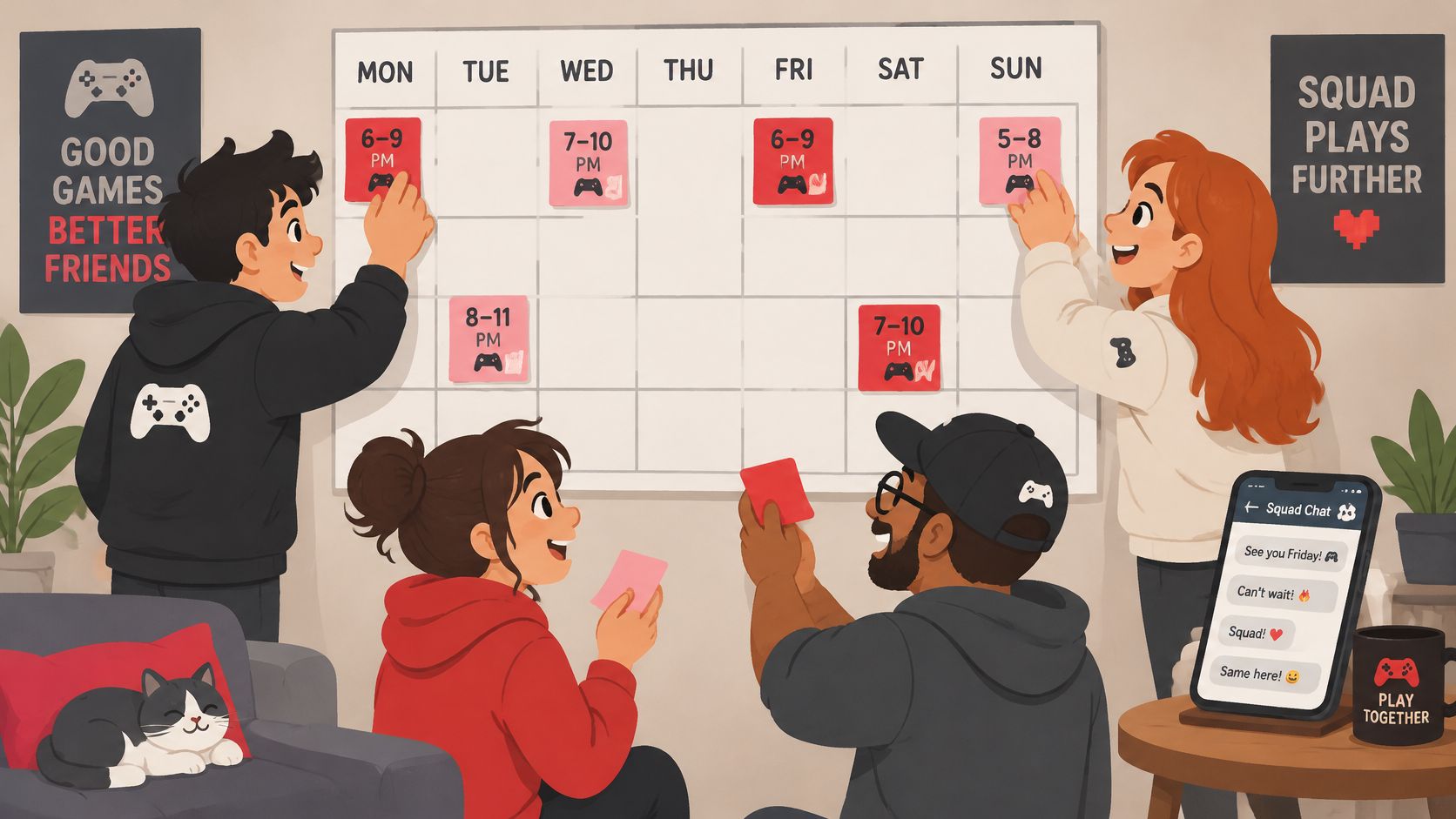
Where the schedule lives decides whether anyone reads it. Each method trades one strength for one weakness.
| Method | Strength | Weakness |
|---|---|---|
| Group chat | Fast to set up | Times get buried and time zones get confused |
| Shared calendar | Clear recurring blocks | Players rarely check it before queueing |
| Discord channel | Voice and text in one place | Needs an active owner to stay current |
| LFG app with schedule fields | Filters by game, rank, platform and mic | Only as accurate as the profile |
A duo can run on a chat and a pinned message. A four-player roster preparing for a bracket can't: it needs a fixed sheet, a named owner who updates it, and someone with the authority to cancel a slot. The test is simple. Match the method to the number of players and how often they need to meet, then stop upgrading once it holds.
When you go looking for new teammates, put the windows in the listing itself so a match is made on overlap rather than hope. On Gamerplug, posting a squad lets you choose the game mode, rank range, platform and whether a mic is needed, and the requirements are checked against players' real stats, which keeps a listing from collecting players who can't fill it. The same order applies when you're the one looking for a group: window first, rank second.
Every match still gets confirmed in chat before the first session. A profile schedule is only as useful as its last update, and stale windows are the main cause of no-shows. If your squad ends up spread across two voice platforms, find low-latency voice apps for squads before the first session rather than five minutes into a ranked game.
Fixing Common Schedule Conflicts
Every squad hits the same handful of problems. Each one has a cause and a cheap fix.
Missed start times. The slot was agreed in chat and never written down. Move it to a time the latest riser can reliably hit, or add a 24-hour confirmation deadline.
Time zone drift after a clock change. Someone converted once in spring and nobody checked again. Re-convert every window at each seasonal clock change and re-circle the overlap.
The one-match player. A parent or shift worker with 40 minutes, not two hours. Tag them as single-game and pair them with a casual slot or a duo instead of a ranked block.
The sudden dropout. No bench. Name a substitute and keep a backup window that already exists on the sheet.
The session that overruns. No hard stop. Write an end time and set a ten-minute warning before it.
The conflict that does the most damage is the missed start time, because it costs trust rather than minutes. Players forgive a lost game. They stop showing up after three wasted evenings.
Standing rule for the group: any slot missed twice gets reviewed, and the squad decides whether to move it, shorten it or drop it. Reviewing is the schedule's maintenance, not a postmortem.
Start Your First Shared Schedule This Week
Use this week to make the schedule small enough to survive real play. You are building overlapping recurring windows, not a calendar full of optimistic free hours. Three moves, in order, will give you something usable by the weekend.
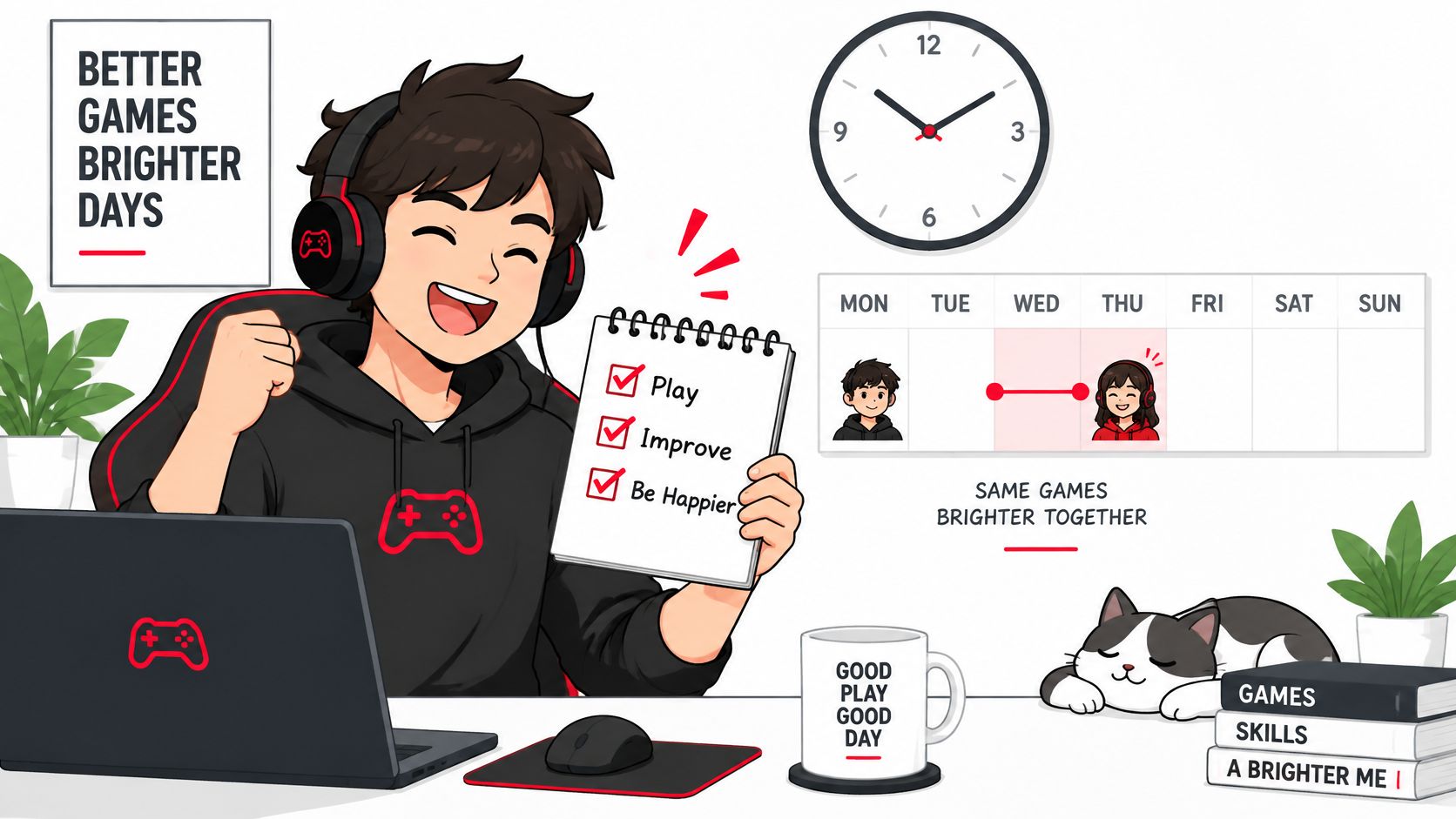
- Fill the seven fields for yourself and convert your windows to one shared time zone.
- Find one or two teammates whose windows overlap yours on at least two days.
- Pick one fixed ranked slot and one casual slot, and post them where your squad already talks.
Then make one concrete move: share your windows, the game you want to play and the rank range you will accept. Keep the first week narrow. One ranked slot gives the squad something serious to protect, and one casual slot gives everyone room to play without turning every missed click into a problem.
Review the sheet after two weeks. Windows that held stay. Windows that did not get moved, shortened or cut. This is the point where a schedule starts acting like a routine instead of a wish list.
The rule that keeps it alive: start with one fixed slot this week, and add a second only after the first one has held for two weeks.
GamerPlug is still in development and has not launched yet. Readers can join the waitlist at Gamerplug to be told when it launches.