In a 2008 Pew Research Center study of U.S. teens who played games online with others, 43% said they played as part of a group or guild. Long-running parties have always needed a room that survives the match.
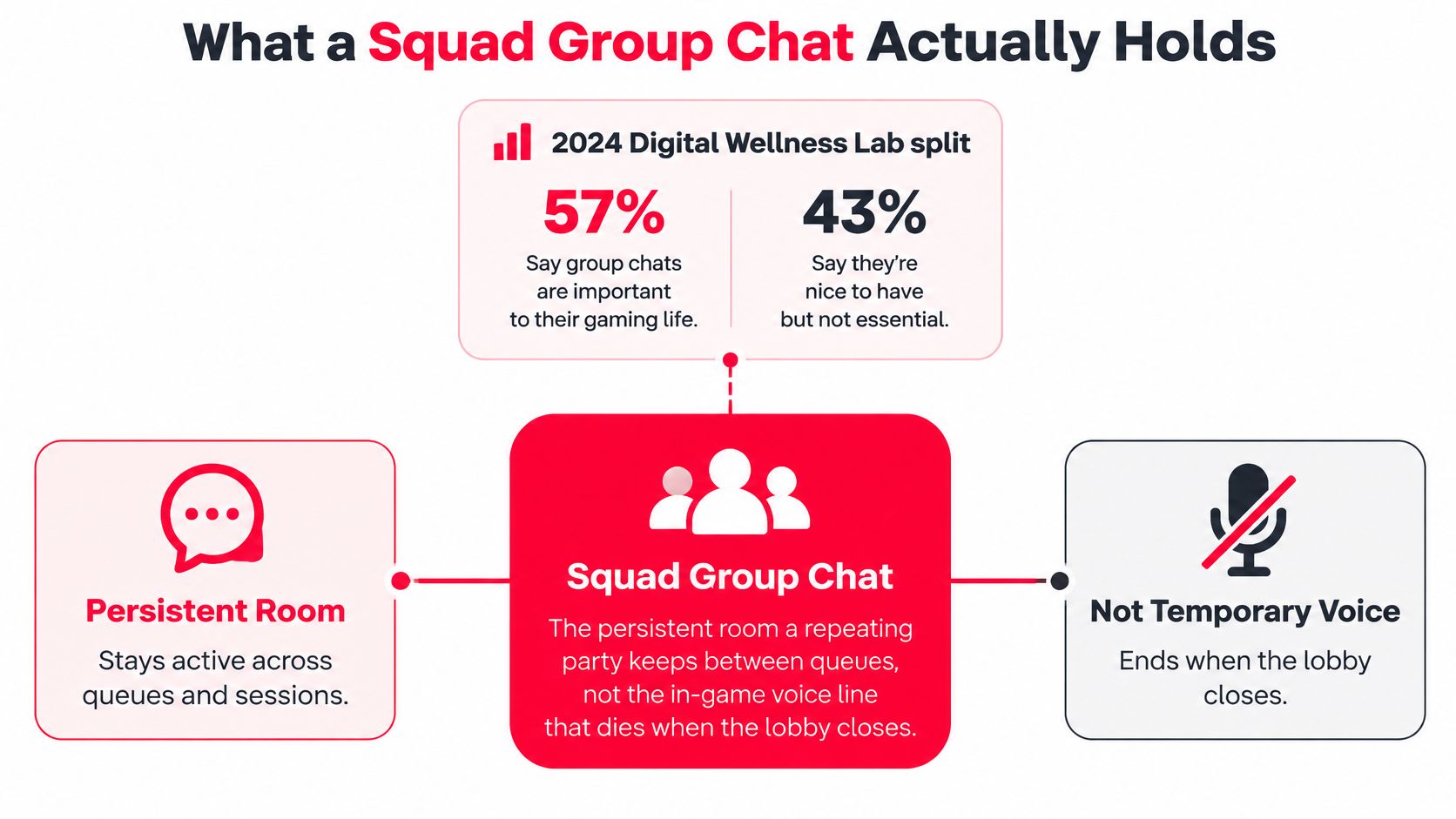
A squad group chat is that persistent room. A regular party uses it between queues to set the roster, start time, mic rules, and roles, while in-game voice handles decisions that expire when the lobby closes. Treat it as low-noise matchmaking infrastructure, with the plan in one readable place and casual conversation somewhere else.
Approach it like a shot-caller. One thread owns match-critical notes: who is playing, when the squad starts, and which role changed. Alerts need distinct levels so a start time can interrupt while routine chatter stays quiet. Voice safety needs the same structure, because keyword filters alone miss tone, context, and pressure to pile on.
That structure also slows hostility. When abuse is visible, it can shift what teammates treat as acceptable. Clear boundaries and quick moderation give the next player a reason to stay.
Table of Contents
- What a Squad Group Chat Actually Holds
- Which Channel Owns Each Message
- How to Keep Threads and Alerts Useful
- Etiquette That Stops Toxicity From Spreading
- Voice Safety and No-Mic Coordination
- Three Squad Chats That Actually Queue
- Set Up Your First Squad on GamerPlug
What a Squad Group Chat Actually Holds
Run two ranked games with the same trio. In the first, a stranger fills the third slot, says almost nothing, and leaves. In the second, your regular third joins, and suddenly you're calling rotations early, joking between fights, and agreeing to run it back. Same map, same mode. Trust made the difference.
That gap shows up clearly in the 2024 Digital Wellness Lab survey, which covered teenagers, so read it as a pattern squads show rather than a measured rate for all adult players. 57% of teenagers frequently had real-time or extended conversations with friends or family during two-player gaming, compared with 34% when playing with a stranger. In multiplayer sessions, the figures were 54% with friends or family and 32% with strangers.
The Locker, Not the Court
The locker versus court split clears up most confusion about where things go. The court is in-game voice. It carries live calls, enemy positions, and decisions that expire in seconds. The locker is your squad group chat. It holds who is coming, when you're starting, and how each person plays, so you don't rebuild that knowledge every queue.
Players already talk in layers like this. Voice runs during the round, a call or second app runs alongside it, and the group thread holds whatever needs to survive both. No single channel was ever carrying the whole job, which is why squads that treat one chat as everything end up with a feed nobody reads.
The Four Jobs That Live in the Locker
Keep the persistent room narrow, or it turns into a second social feed. It has four jobs, and each one should be visible without scrolling.
- Roster: Who's confirmed, who's a sub, and who's still a maybe.
- Time and time zone: A start time nobody has to convert in their head.
- Mic or no-mic: Whether voice is required, optional, or not used at all.
- Role or vibe note: One line per player, such as entry, support, shot-caller, or chill ranked.
Think of these four as the chat's load-bearing walls. Match talk can flow through, memes can live in their own thread, but the roster, the start time, the mic expectation, and the role notes stay findable. When those facts sit under forty messages of banter, the chat stops working as infrastructure and starts working as noise.
If a new player can't learn who's playing, when you start, and how you communicate in under a minute, the chat is holding noise instead of a plan.
A squad group chat turns a one-time match into a repeating party, because the roster, schedule, and expectations stay put after the lobby closes. Give each of the four jobs a fixed place, keep social talk out of their way, and the room stays useful instead of busy.
Which Channel Owns Each Message
Pick a row before you type. That one habit prevents most squad chat problems, because bad messages are rarely rude or wrong. They land where the wrong people see them at the wrong volume, the way a rotate call shouted after the round ends helps nobody.
| Channel | Best for | Notification default | Keep out |
|---|---|---|---|
| In-game voice | Live calls during the match | On for the match only | Schedules, clips, and roster debate |
| Persistent squad chat | Roster, vibe, and recurring sessions | Mentions only | Second-by-second callouts |
| Party or LFG thread | Filling open slots before queue | All until full, then mentions | Post-match banter |
| Direct message | One private check-in | All messages | Decisions the whole party needs |
| Tournament thread | Check-in, lobby code, bracket notes | Mentions plus organizer posts | Casual memes during live rounds |
Reading the Rows in Order
In-game voice owns anything that expires in seconds. Enemy low, rotate now, save or buy. Voice leaves no record a late player can read, so anything that still matters tomorrow needs a second home in text.
The persistent squad chat owns the opposite end. Roster decisions, recurring session times, and how the group likes to play live there on mentions only. Second-by-second callouts stay out. Nobody can read a fight in text while they're in it.
A party or LFG thread is loud on purpose, but only while slots are open. Keep it on all messages until the party fills, then drop it to mentions. Once you're queued, post-match banter goes back to the persistent chat. Otherwise tomorrow's LFG post starts buried under tonight's clips.
A direct message handles one private check-in. Are you good to keep playing, do you want the sub spot, is everything okay after that argument. The moment the answer changes the roster, move the decision into the squad chat so the whole party sees the same version.
The tournament thread is the strictest room you run. Check-in, lobby code, and bracket notes only, with organizer posts allowed to reach everyone. Casual memes stay out during live rounds. One buried code can cost the match before it starts.
Why the Split Is Not Extra Work
Players already spread themselves across channels. ESA's 2025 Essential Facts about the U.S. video game industry reports 72% of online players aged eight and older have used communication tools during gameplay, with platform or in-game text chat at 57% and platform or in-game voice chat at 52%. The channels already exist. The only new step is deciding which job each one does.
For players with disabilities, speech-to-text and text-to-speech in game chat are among the accessibility features that matter most, so a plan that lives only in voice shuts some teammates out. A player who can't hear a call clearly, can't speak at home, or runs no mic still needs the same plan everyone heard.
Practical rule: If two people would answer your message differently, it's in the wrong row.
More channels mean cleaner rooms. A meme can't bury a lobby code when memes have their own room. Social conversation stops competing with match-critical instructions. Assign the rooms first, and each one stays quiet enough to trust.
How to Keep Threads and Alerts Useful
A squad chat fails without warning. Nobody announces they're ignoring it. They just stop reading, miss the lobby code, and the queue falls apart while everyone insists they posted it.
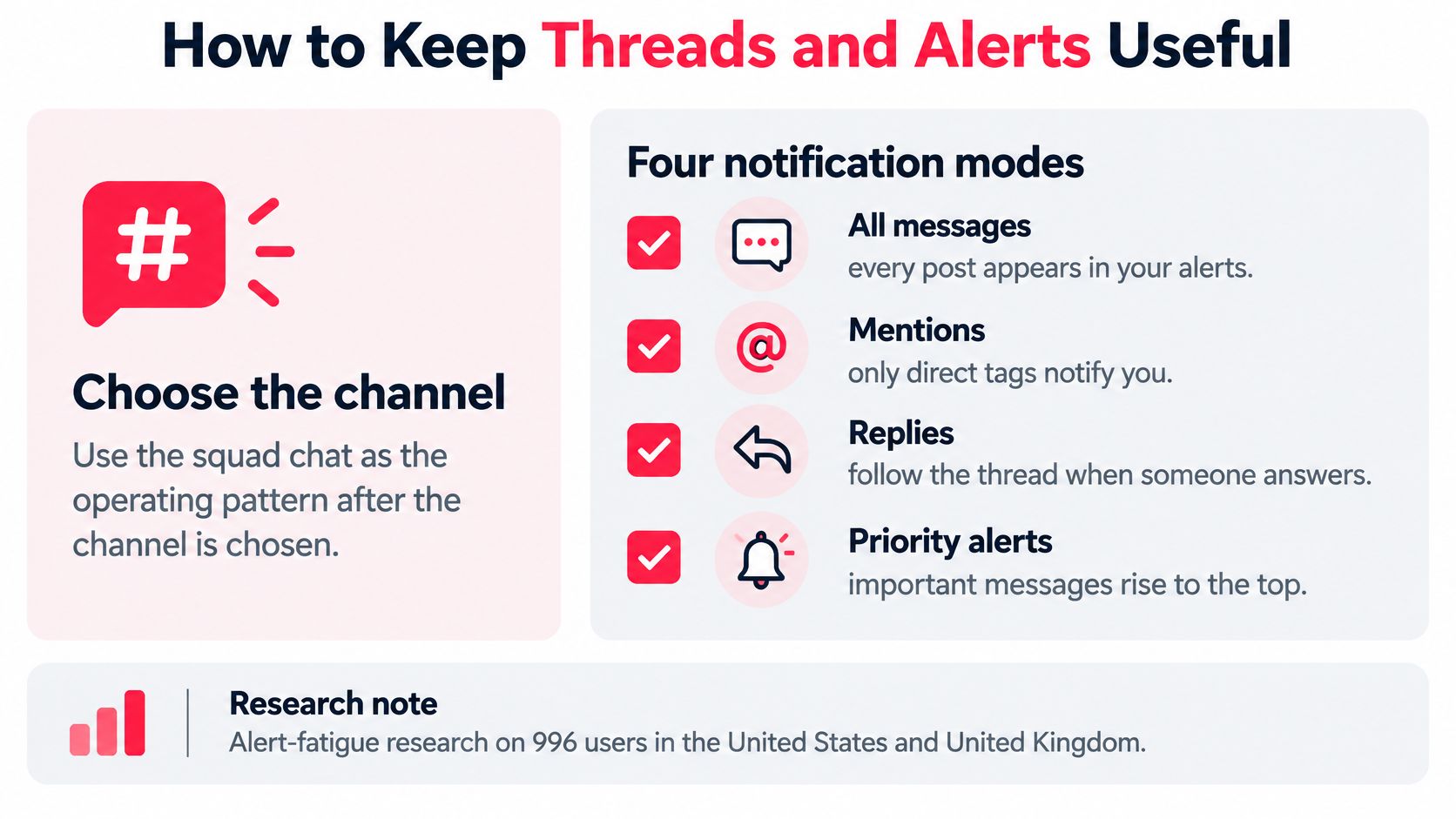
Research behind alert fatigue explains why. In a survey of 996 users across the United States and United Kingdom, people frequently received notifications for messages irrelevant to them, had limited per-group control, and could miss higher-value events. That's a reliability problem, not a personality problem.
The Four Modes, Assigned by Role
Set one of four modes per thread: all messages, mentions only, replies only, or muted. Then assign the mode based on what each person needs to act on.
| Role | Default mode | Breaks the mute for |
|---|---|---|
| Player | Mentions only | Party invite, lobby code, match start |
| Substitute | Muted until tagged | Party invite, roster change |
| Captain | Replies plus roster changes | Lobby code, roster change, organizer announcement |
| Organizer | All messages in tournament thread only | Check-in change, organizer announcement |
Notice nobody sits on all messages everywhere. The organizer goes loud in one thread, for one event. The sub stays muted until tagged, which is exactly why they'll notice the tag when it comes.
The Failure Chain You're Preventing
It runs in one direction every time. High-volume status chatter produces notification saturation. Saturation reduces attention to important messages. The missed message becomes a failed queue, a late tournament check-in, or a roster nobody agreed to.
Only five events should break a mute: party invite, roster change, lobby code, match start, and organizer announcement. Everything else waits for someone to open the thread on purpose.
The Pin Recipe
- Pin one note with mode, rank window, platform, and mic rule.
- Add the start time with an explicit time zone.
- Replace the pin when the lobby code changes instead of stacking codes.
- Resend only an unresolved high-priority item, not the whole thread.
Don't overread a read receipt. It shows the phone opened the message, not that the player processed the time, the code, or the change. If it matters, ask for a one-word reply or a reaction that confirms the plan.
Run the ten-second test before queue. Hand the thread to your latest sub and see if they can find the code and the start time without scrolling. If they can't, your alerts aren't the problem. Your pin is.
Etiquette That Stops Toxicity From Spreading
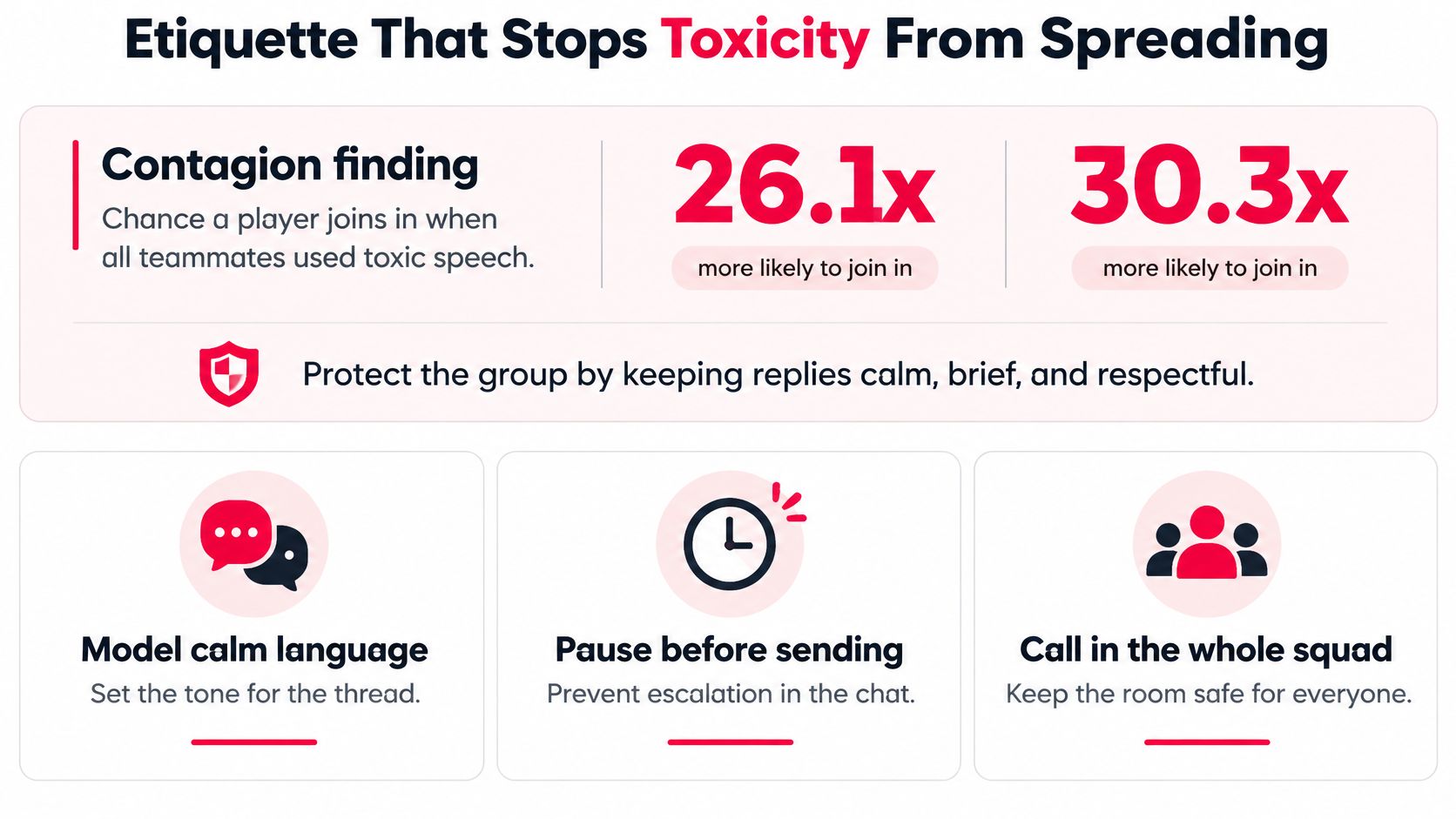
Toxicity in a squad chat works like contagion, not bad manners. A large-scale study of competitive online games in research on toxic speech contagion found that, all else equal, when all teammates engaged in toxic speech, an individual player's probability of engaging in similar toxic speech increased by 26.1 to 30.3 times the average player's likelihood.
One loud player does more than ruin one message. They reset what the whole thread treats as normal. Then your decent players either copy the tone or stop queueing with you.
Banter Is Not the Same as Abuse
A dry callout about a missed smoke is competitive banter. It targets the play, it ends, and the next round starts clean. Harassment, baiting, slurs, and pile-ons play by different rules. They target the person, they repeat, and they invite everyone else to join in.
Post five message rules where new members see them on day one:
- No rank-shaming: Keep rank talk out of the main thread as a weapon.
- No @everyone for memes: Reserve mass pings for match-critical events.
- Criticism stays on the play: Name the decision, not the person's worth.
- One correction, then drop it: Repeating the same point becomes pressure, not coaching.
- Move heated exchanges out: Take arguments away from the match-critical thread.
Controls at Two Levels
Message-level moderation looks at one post at a time. Combine keyword or classifier signals with user reports, context, repetition, and who was targeted. Give players one-tap mute, block, and a clear report category so they don't have to argue in public to get help.
Group-level moderation watches the pattern, because contagion is a pattern. Flag multiple members attacking one player, rapid toxic exchanges, or repeated reports against the same account. Slow the thread with a rate limit during a pile-on, and escalate threats or hate speech automatically instead of waiting for a captain to wake up.
Enforcement comes with a tradeoff worth naming. Consistent moderation brings disruptive behavior down, and sanctioned players tend to play fewer matches afterward. That's an acceptable trade. You're protecting a squad people want to stay in, not chasing silence, and the ones who remain get cleaner comms every session.
For the wider community picture, our guide to building toxic-free gaming communities covers norms beyond one thread. Inside your squad, the captain needs exactly one line, posted once and enforced the same way every time: banter stays, identity attacks get removed.
Voice Safety and No-Mic Coordination
Keyword filters miss the hardest case, because the worst moment often happens out loud and disappears. A player gets mocked in voice, there's no text to screenshot, and by the time they could report it, the round and the mood are already gone.
The scale is not small. A summary of ADL's 2025 testing of multiplayer games reports that nearly half of sessions contained harassment and roughly one-third included identity-based harassment. Harmful behavior also moves through forums, chat servers, and spaces outside the game itself, while gaming vocabulary makes automated detection difficult.
A Consent-Based Report Path
You don't need to record everything. You need a path the reporter controls, explained in plain gamer language: what gets logged, who can see it, and how long it's kept.
- The reporter taps one button to flag an incident.
- The reporter chooses whether to send a short rolling audio buffer from the last minutes of play.
- The report routes to a named escalation contact.
- Repeat offenders get a cooldown before rejoining the squad.
Consent matters here. The buffer sends only if the reporter says yes, and the escalation goes to a named person, not a mystery queue. That gives moderators evidence without turning every match into surveillance.
The Quiet Leave and the No-Mic Plan
Some players won't report or argue. They'll just leave voice, and often leave the squad next. Give them a quiet leave that removes only them, without collapsing the party or announcing a scene to everyone else. Our overview of voice chat for gaming covers the channel basics that sit underneath this.
Then make no-mic a real setup, not a disadvantage. Pin the objective, keep a three-line callout card in the thread, use captions or speech-to-text where the client supports them, and label roles so text stays scannable mid-round. Incoming, rotate, and hold mean the same thing every game because they're written down.
The product test is simple. A mic-required listing and a no-mic listing should both be able to finish a match from the same pinned plan. If the no-mic player needs someone to translate voice all game, the plan was never really in the chat.
Three Squad Chats That Actually Queue
Rules are easier to trust after you've seen a night run on them. These three squads are different sizes with different needs, but each one queues because one thread does one job.
The Ranked Trio
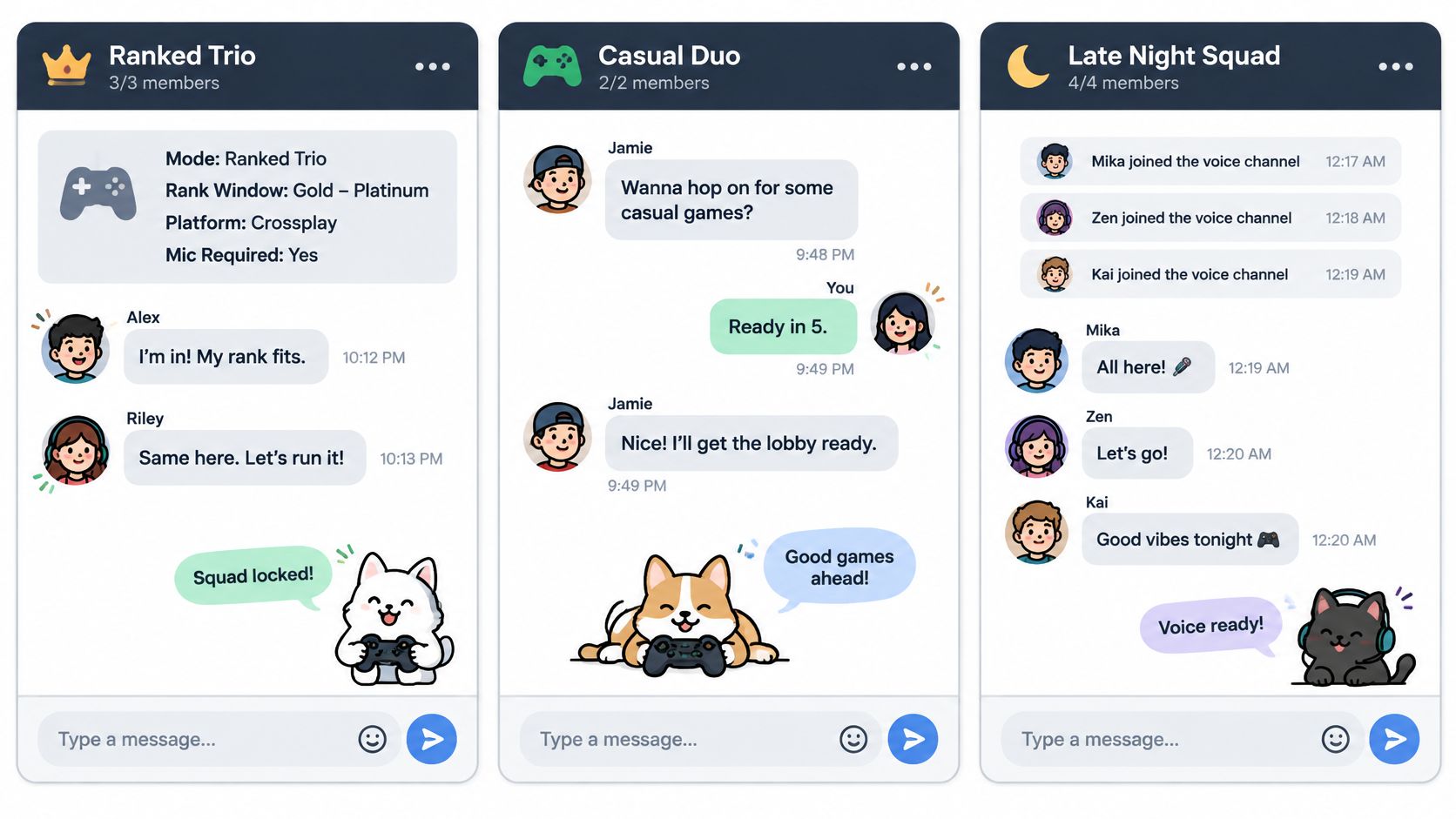
A trio posts in the party thread with mode, rank window, platform, and mic required. Two players join because the range matches their real stats, not because they guessed from a username. The moment the third slot fills, alerts drop to mentions and callouts move into in-game voice where they belong.
The message that would've sunk it: a rank argument starting in the live thread five minutes before queue, turning a filled party into three people defending their stats instead of picking roles.
The Console Player Who Won't Talk
One player is on console, late at night, and won't get on mic. Nobody nags them. The squad pin holds three standard callouts and a role label, social jokes stay in the persistent chat, and the player types short, readable calls that everyone already understands.
The message that would've sunk it: an all-ping for a highlight clip mid-session, training the whole squad to ignore the thread the one time a typed call matters.
Bracket Night
An organizer puts check-in time, time zone, and the lobby code in one tournament pin. Players who registered solo land in the same conversation as full squads, so nobody hunts through direct messages for the code. Meme traffic stays muted until the match ends, then the thread can breathe again.
The message that would've sunk it: a lobby code buried under clips, found two minutes after check-in closes by a team that was ready the whole time.
Every failed night above breaks on one message in the wrong place, not on skill.
If you're building the roster itself rather than running one night, our guide on building the perfect gaming squad covers who to recruit. For tonight, ask a simpler question: which of these three nights are you about to run? Open that one thread, set it up properly, and let the other two wait.
Set Up Your First Squad on GamerPlug
Start your next session with one squad thread, not a pile of invites sent to whoever happens to be online. A single thread with the right defaults beats five half-active chats every time.
- Create the squad post and set game mode, rank range, platform, and whether a mic is needed. Requirements get checked against real stats, so the players who join fit the range you set.
- Invite the confirmed players into the squad chat so roster notes live there while in-game voice stays for the match.
- Drop the start time with an explicit time zone as the first message in the thread, so nobody has to scroll for it or guess whose clock you meant.
- Mute the thread down to mentions-only in whatever notification settings your phone or the app offers. Everyone stays reachable for the calls that matter without getting pinged over every meme.
- For a bracket night, join the tournament so the lobby code and the tournament conversation open for you. Players can register solo or with a squad, and results are tracked for them.
Keep the first version lean. One post, one visible start time, one alert mode per person. Your first real session will show you where the noise creeps in, and you can tighten the rules from there.
Set up the squad on iOS, Android, or the web at gamerplug.app before your next queue, while the roster from your last good game is still fresh in your head.
Post your first squad with mode, rank range, platform, and mic rule set, then run the night from one low-noise thread instead of chasing randoms across lobbies. Gamerplug helps you find teammates whose stats and schedules fit, coordinate in squad and tournament chats, and keep the same crew for the next session. Start before your next queue at Gamerplug.