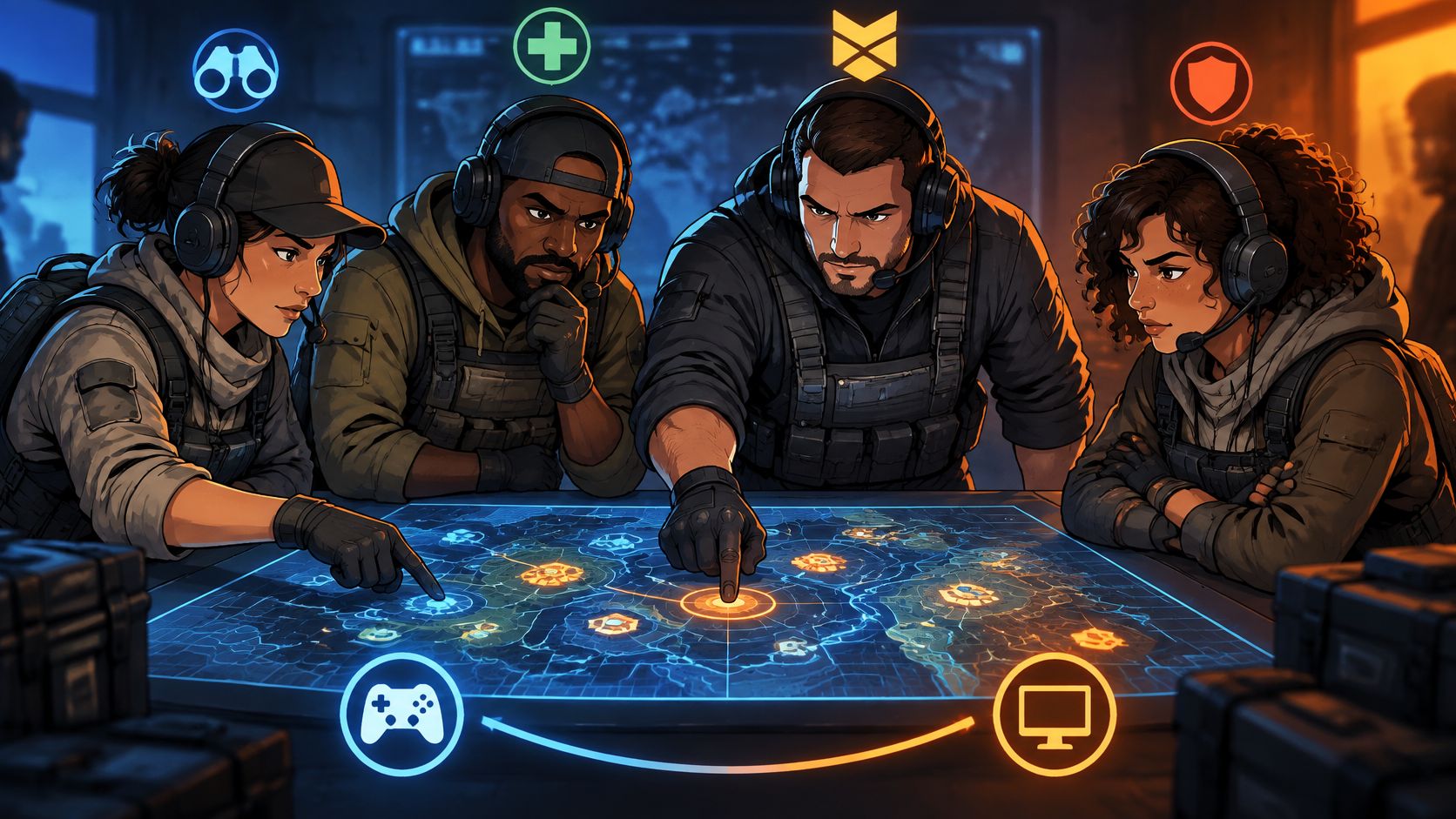
You're in the lobby, a friend is still inviting someone, and the new teammate wants to hot-drop while everyone else wants a controlled start. Then the match begins, somebody's mic doesn't work, and your most aggressive player is already fighting beyond trading distance. Nobody agreed on what kind of session this was supposed to be.
Good Call of Duty squads don't hold together on aim alone. They work because players agree on pace, communication, connection limits, and responsibilities before they queue. Build around those decisions, and you can judge a teammate by whether they fit the party, not just whether their rank looks impressive.
Table of Contents
- Squad Sizes at a Glance
- How to Form a Party and Queue Together
- Matchmaking, Crossplay and Platform Trade-Offs
- Roles and Commands That Keep a Squad Together
- Vetting Teammates for Voice and Temperament
- Post Your Squad Listing and Queue With Confidence
Squad Sizes at a Glance
| Mode | Players per squad | Teammates needed | What it changes |
|---|---|---|---|
| Solos | 1 | 0 | No party; you queue alone |
| Duos | 2 | 1 | One partner must fit your mode and pace |
| Trios | 3 | 2 | Two teammates, so responsibilities can be split three ways |
| Quads | 4 | 3 | Largest listed party; adds capacity for revive or flank duties |
The squad sizes above follow the Solos, Duos, Trios, and Quads formats listed in official Warzone materials; teammates needed assumes you're starting alone. This table covers Warzone, including Battle Royale and Resurgence formats, not every Call of Duty title or every currently available playlist.
The important distinction is squad capacity versus open slots. If you already have a partial party, you're recruiting for the spaces left, not rebuilding the entire lineup. Check the live playlist before inviting anyone, because the format you want must be available.
Recruit for the missing job
Say you and a friend want to fill a Quads party. You both like taking first contact, so recruiting more players who sprint toward every gunshot won't necessarily solve your problem. Look for someone comfortable covering a retreat and someone willing to gather information or manage recovery.
A final teammate can give the party room to revive, watch a flank, or maintain eyes on an enemy position. That only helps if the newcomer understands what the existing group needs.
Practical rule: Choose the mode first, then count the spaces you need to fill.
Make the listing explicit:
- Playlist: Name Battle Royale or Resurgence and the intended squad format.
- Roster: State who's already committed and how many spaces remain.
- Missing responsibility: Explain whether you need aggression, cover, information, or direction.
- Other titles: Check the mode's party limit in-game before posting.
Don't advertise only that you're looking for a COD squad. Tell people which party they'd be joining.
How to Form a Party and Queue Together
Build the party before you start searching for a match. An accepted invite isn't enough if someone is still outside the active group, troubleshooting audio, or expecting a different playlist.
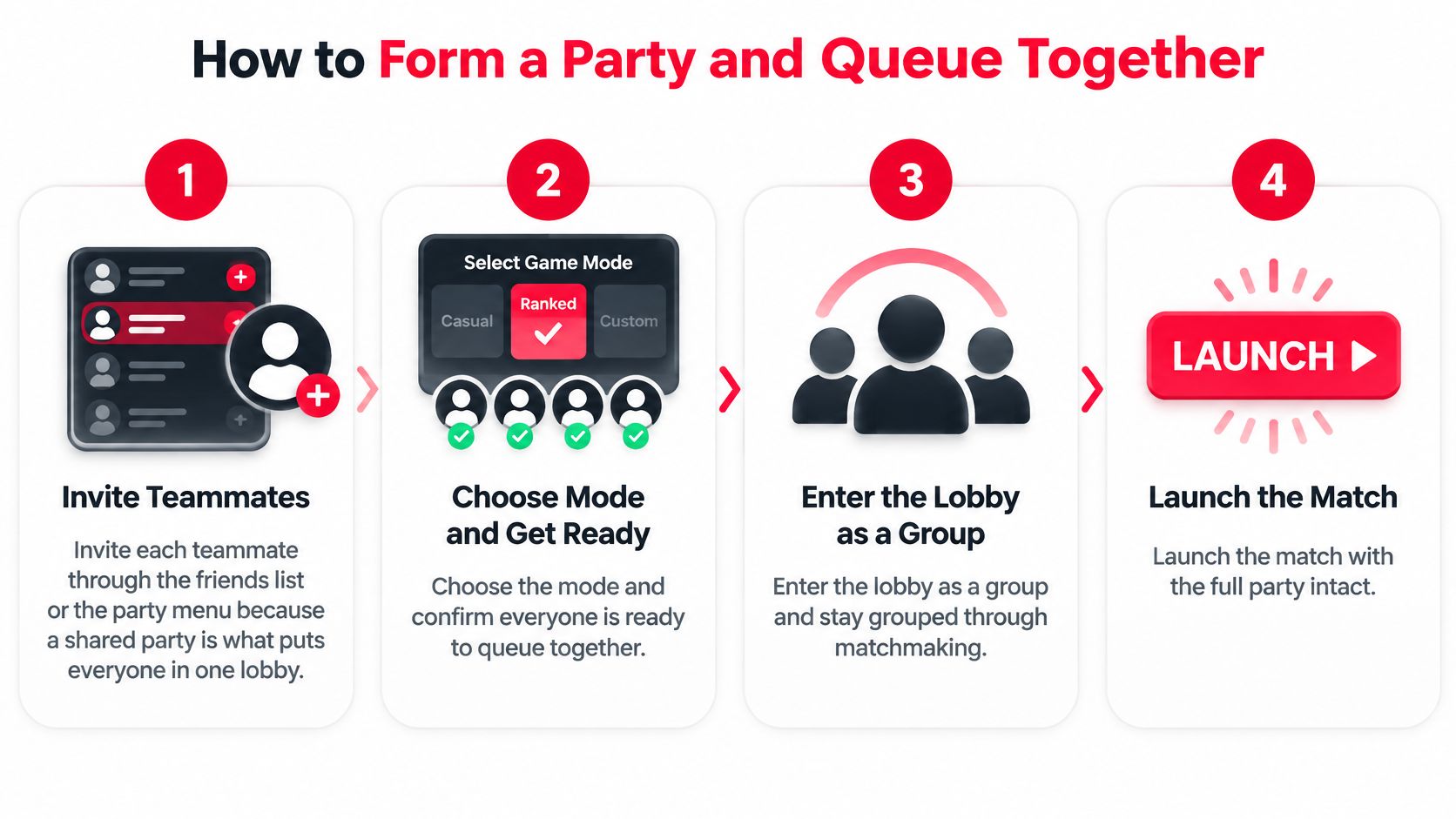
Use this process as your lobby check.
Run the party check in order
Invite everyone through the friends list or party menu. Confirm each player appears in the active party roster, rather than assuming they joined because you sent an invite. The common slip is starting matchmaking while a teammate is still sitting in their own menu.
Select the agreed mode before anyone readies up. Say the full playlist name aloud or put it in party chat so everyone can catch a mistake. A friend expecting Resurgence shouldn't discover you selected Battle Royale when the loading screen appears.
Check regional compatibility and crossplay access. Ask where everyone is playing from and confirm the relevant crossplay options permit the intended group, wherever those controls are available. Don't assume changing the party leader or a menu setting will force a nearby server for everyone.
Confirm input devices and test the actual voice channel. Have each teammate speak through the channel you'll use during the match, then check that everyone hears them clearly. Being audible in a console party doesn't prove the whole cross-platform group can hear you in-game.
Have the leader queue only after everyone confirms readiness. Treat ready as meaning equipment, audio, and recruitment are finished, not merely that the game is open. Don't launch while someone is still messaging a potential fill.
Recheck the roster before deployment. If somebody disconnects or fails to join, stop and rebuild rather than expecting them to appear later. A clean queue puts the intended party into the same match without leaving a teammate behind.
Fix local problems before searching again
If a player keeps dropping voice or experiencing unstable wireless coverage, test an Ethernet connection where practical. For a home with coverage gaps, Computer Daddy's mesh networking tips for Bayside homes can help with local Wi-Fi planning, but better coverage won't shorten the geographic distance to a game server.
Finish the setup before pressing search. Nobody should be wondering whether they're in the party or still waiting for an invitation.
Matchmaking, Crossplay and Platform Trade-Offs
| Factor | What it means for your squad | What you can do |
|---|---|---|
| Connection quality and Delta Ping | The selected data center may be a worse connection compromise for some members | Compare locations and check in-match latency |
| Time to match | Search time is a priority alongside connection | Try another acceptable playlist if searches drag |
| Playlist and mode preference | Everyone needs access to the intended queue | Agree on the playlist before searching |
| Input device | Input device is one matchmaking consideration | Disclose the device you actually use |
| Platform | Crossplay availability affects possible combinations | Check supported platforms and account settings |
| Voice-chat status | Voice availability is among the matchmaking considerations | State mic status and test the shared channel |
| Skill and recent performance | Matchmaking considers more than a rank label | Share relevant rank information and recent gameplay |
Activision's matchmaking explanation identifies connection quality as the most heavily weighted factor, followed by time-to-match. It also describes input device, platform, voice-chat status, skill, recent performance, and recent maps as considerations. A similar rank, on its own, doesn't guarantee a workable party.
Connection is a shared compromise
Delta Ping means the difference between a player's best data-center round-trip latency and their latency to the lobby's selected data center. A larger gap means a less favorable connection compromise for that player. When teammates are spread across different regions, a server that suits one player may feel sluggish for another.
Players can have different routes to the same server, so don't assume each distant teammate adds the same delay for everyone. Check how the connection behaves in the actual match.
Skill can influence teammate selection as well as opponent selection. Activision describes skill through kills, deaths, wins, losses, mode selection, and recent matches, rather than K/D alone. When recruiting, look at recent gameplay: does the player trade damage, rotate with the team, and choose fights the party can support?
A strong player on an uncomfortable connection can be a worse fit for tonight's session than a less flashy player who can reliably stay with the plan.
Crossplay expands options, not certainty
Crossplay allows more platform combinations, but doesn't guarantee identical matchmaking conditions. Input device and platform are factors, not promises of strictly separated controller, keyboard, PC, or console lobbies. Agree on the mix your squad is comfortable with, then check the game's current crossplay settings and account requirements. This cross-platform compatibility guide can help you identify what to check.
PC versus console doesn't determine latency by itself. Location, routing, and the selected data center matter, so judge the connection in-game rather than blaming a teammate's hardware category.
If an Xbox is shutting down or showing persistent hardware faults, treat that as a console issue, not a matchmaking problem. The MackTechs Xbox Series X repair service addresses suspected hardware faults.
Before committing to a long session, confirm the game permits your group's crossplay settings, tell the squad which input device you use, and choose teammates in compatible regions where possible. Then play a trial match and check latency, stability, and whether everyone can hear the callouts.
Roles and Commands That Keep a Squad Together
A squad works like a sports lineup: players need complementary jobs, not matching personalities. If everybody charges forward, nobody protects the space that lets the team recover when the opening fight goes badly.
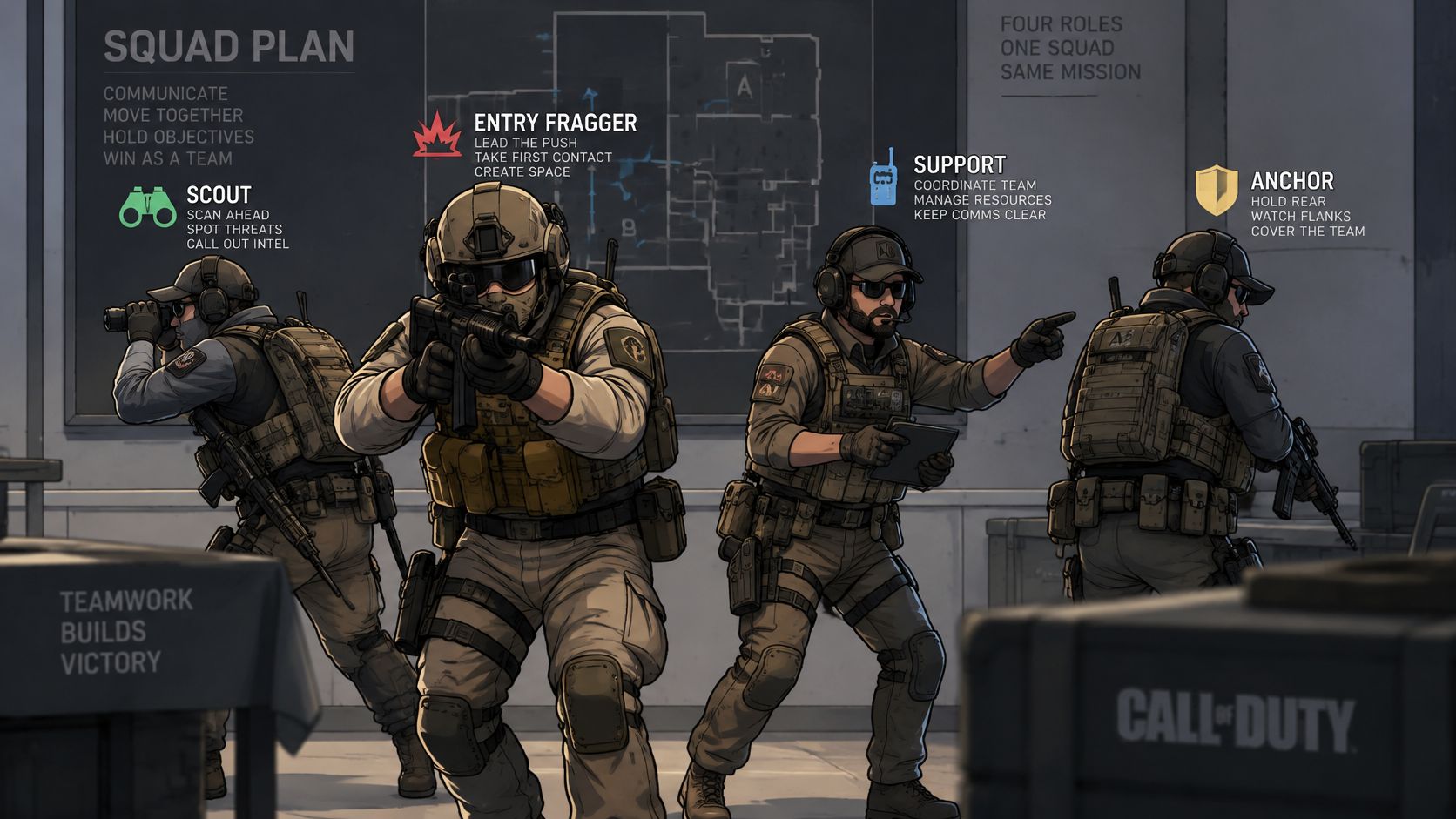
Use these roles as responsibilities, not rigid character classes.
Assign jobs before the drop
Entry fragger. Opens the fight and takes first contact. Push when a teammate can trade, rather than turning an opening knock into an unsupported chase.
Anchor. Holds useful space and watches the back line. While teammates pressure a building, the anchor covers the route an enemy could use to escape or counter-flank.
Scout. Collects information without unnecessarily committing the team. Report movement, elevation, and direction, then distinguish confirmed enemies from a suspected position.
Shot-caller. Chooses rotations and resolves push-or-reset decisions. Other players should still report danger, but competing movement instructions need a designated final decision-maker.
Support. Handles recovery, supplies, and backup fire. Before attempting a revive, establish who's covering and whether the position is defensible.
These jobs can overlap within a roster. Assign ownership before deploying, then swap responsibilities between matches if the setup doesn't suit how people play.
Use this tactical video alongside that role discussion.
Keep commands short enough to act on
Give location, threat, and action in that order. A building ping followed by an upstairs enemy call and a hold instruction is more useful than narrating everything that happened before you were downed.
Keep scheduling and longer tactical discussion in a squad group chat. During fights, leave audio space for footsteps and urgent information.
- Your job: Name the responsibility you're taking.
- Their jobs: Confirm who covers the other needs.
- Final caller: Choose who resolves conflicting directions.
- Reset agreement: After a loss, identify an actionable adjustment before requeueing.
Vetting Teammates for Voice and Temperament
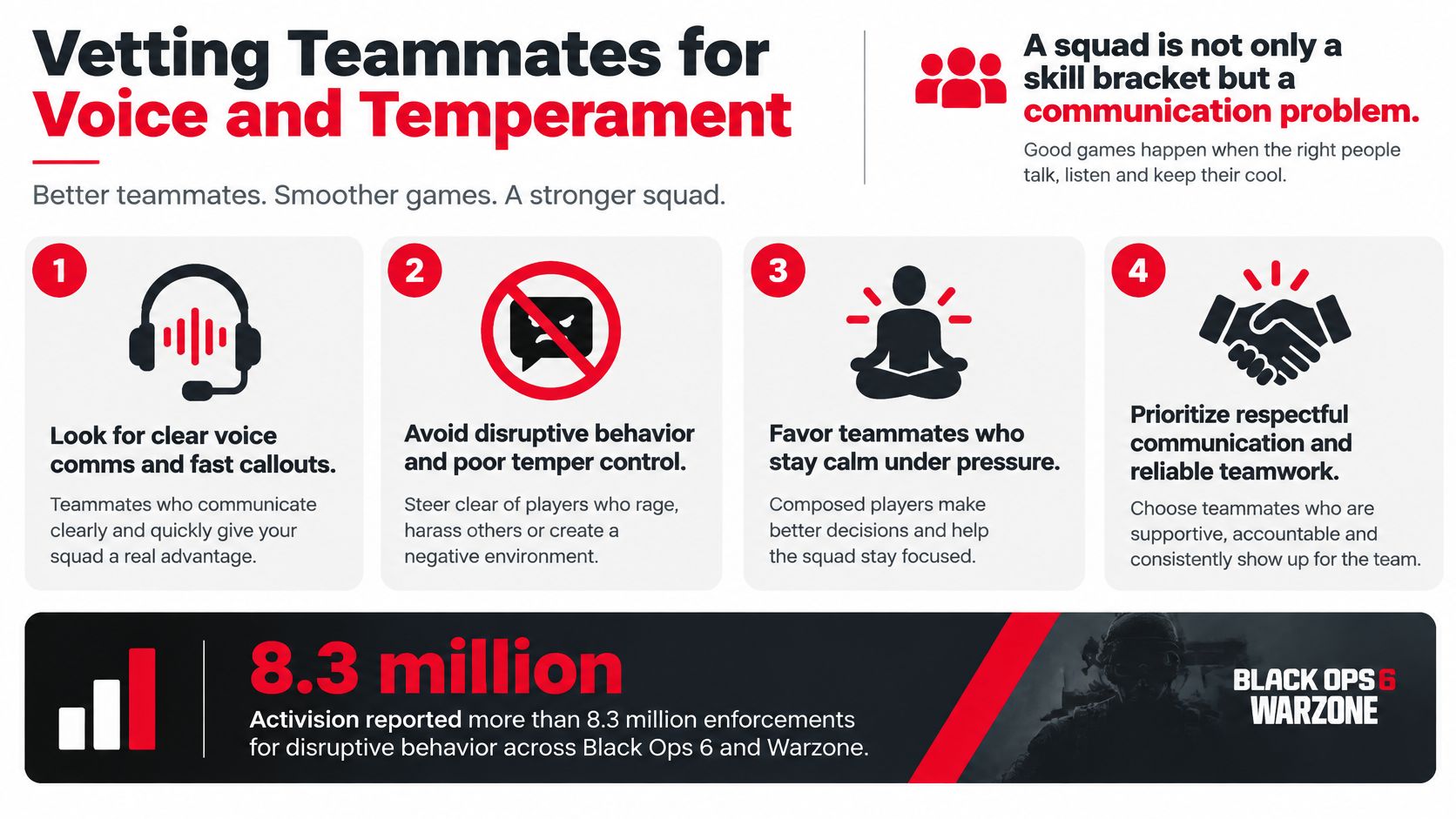
A squad can match on rank and still fall apart over mic habits, tilt, or conflicting expectations. A strong player may win difficult gunfights yet make the party harder to play with through blame, unsolicited coaching, or calls that drown out useful audio.
Treat communication as part of squad fit. Ask what kind of session each player wants before queueing, then agree on how to handle frustration and feedback.
Ask about the session they actually want
- Mic habits: Will you use voice throughout, only for fights, or not at all?
- Loss response: Do you prefer an immediate requeue, a short break, or a tactical review?
- Coaching: Are suggestions welcome, and should they wait until after the match?
- Conversation: Do you want focused calls, social banter, or a mix?
Frustration isn't automatically harassment. Teammates can disagree with a decision or discuss a loss without making it personal. Insults, targeted humiliation, and repeated blame are different. You don't have to tolerate them to prove you're competitive.
You can want to win badly without making losing somebody else's punishment.
Make leaving straightforward
Automated moderation may reduce exposure to disruptive behavior, but it can't resolve a mismatch in communication style. A quiet ranked grinder and a constant conversationalist may both be respectful and still struggle to play together.
Check profiles for mic use and communication preferences, then set boundaries before the first match. The advice on creating toxic-free gaming communities applies to temporary parties too: use reporting tools when appropriate, and leave a hostile group.
Before queueing, confirm mic expectations, agree on how to handle tilt, set coaching boundaries, and decide when to leave if the squad turns hostile.
Post Your Squad Listing and Queue With Confidence
A useful listing lets a potential teammate decide whether to join without interviewing the whole party. Write it around the session you intend to play, not the most impressive version of yourself.
On GamerPlug, our Squads feature lets you choose the game mode, rank range, platform, and whether a mic is needed. Squad requirements are checked against players' real stats, and user profiles include a Request to match option. Check what the listing and profile display before relying on a particular rank or stat, and don't assume those checks verify temperament or every aspect of a player's performance.
Write an invitation someone can evaluate
A rank range helps narrow the search toward a similar level, but it shouldn't do all the screening. Explain whether you're looking for a focused push, practice, or relaxed games with coordinated calls. Those are different invitations even when the ranks match.
Use a concrete description such as:
Resurgence session, evening availability, controlled pushes and early rotations. Need a teammate comfortable covering recovery, with concise voice calls and no unsolicited mid-fight coaching.
Add the exact roster details and your time zone rather than leaving people to guess what evening means. State when you plan to start and when you expect to stop, especially if you're recruiting for a limited session.
Review before accepting
Work through the listing in a practical order:
- Choose the mode: Advertise the queue you'll launch.
- Set the requirements: Select the rank range, platform, and mic preference that fit the session.
- Describe the opening: State the available spaces and the responsibility you need filled.
- Inspect the profile: Review displayed information and any shared clips for decision-making, positioning, and team awareness.
- Send a useful request: Explain your intended session and ask whether their availability matches.
A highlight clip can demonstrate mechanics, but it doesn't establish consistency or how someone reacts to failure. Treat it as a starting point for a conversation, then use a trial session to decide whether you want to play together again.
Don't accept an obvious mismatch because you're tired of recruiting. Changing your entire plan to accommodate an incompatible invite can leave the rest of the party playing a session they never agreed to.
Post a listing for your next session with the practical details already settled. Accept a squadmate whose rank, communication style, and availability fit that plan, rather than whoever responds first.
Gamerplug offers squad listings and player profiles so you can find Call of Duty teammates around the session you want to play. Visit Gamerplug, post your next squad with its mode, rank range, platform, and mic requirement, and review potential teammates before sending an invite.