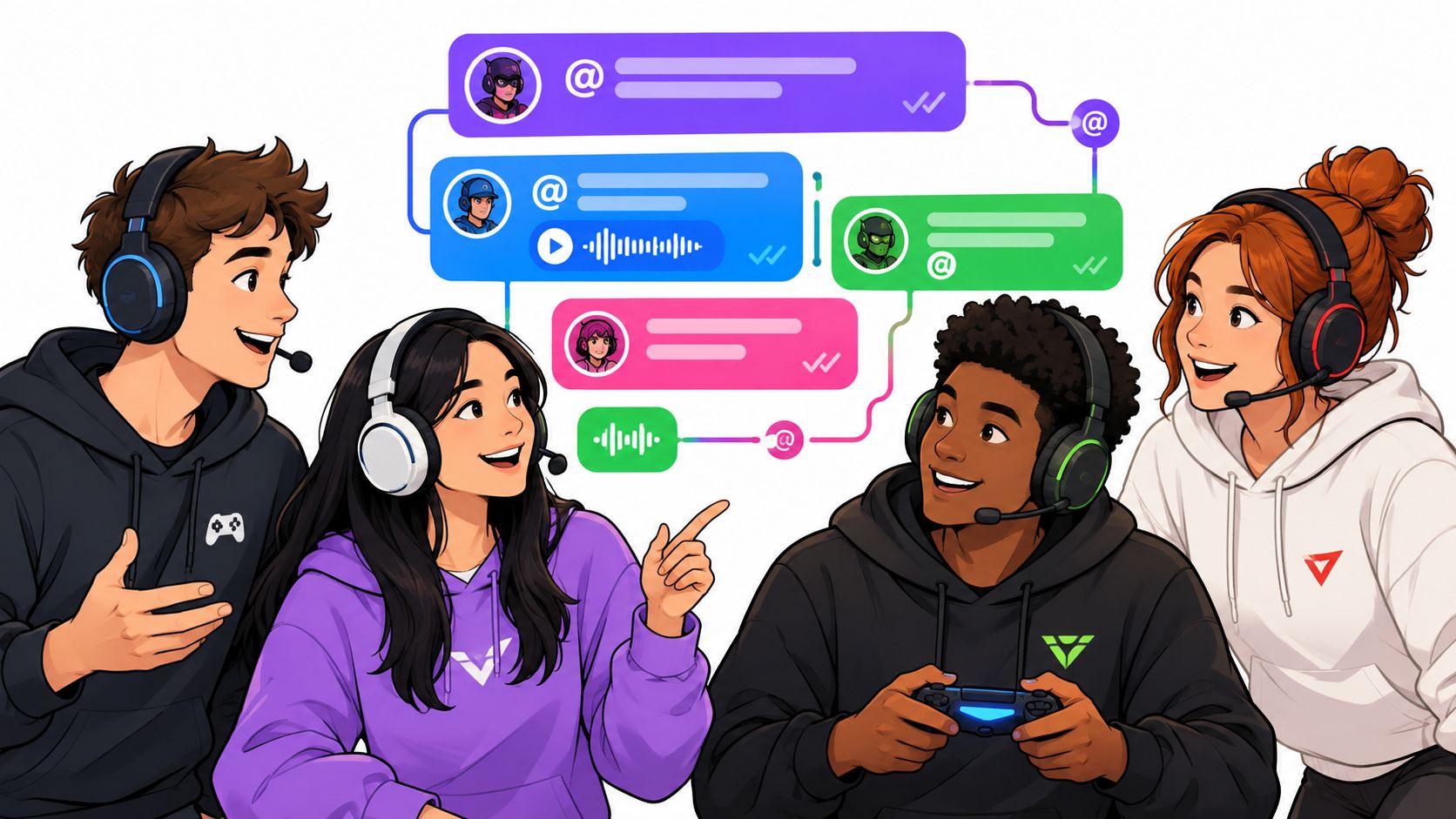
Most advice on teams chat features starts with the wrong question: how many tools can the platform bundle into one workspace? Gaming squads need the opposite answer. The right chat layer removes surfaces, protects attention, and keeps the next match, role assignment, lobby time, and VOD link visible without forcing players through a corporate maze.
A five-stack doesn't need a project-management clone. A tournament community doesn't need every message turned into a task. It needs fast routing, readable context, reliable notifications, and a clean move from text to voice when the lobby opens. Chat should support the call, not become another game you have to manage.
Table of Contents
- Why Generic Chat Apps Fail Gaming Squads
- The Evolution of Real-Time Squad Coordination
- Structuring Comms with Channels and Threads
- Managing Attention with Mentions and Read Receipts
- Cross-Platform Sync and Mobile-First Design
- Integrating Voice and Tournament Workflows
- Building the Ultimate Squad Communication Stack
Why Generic Chat Apps Fail Gaming Squads
Corporate chat products assume people can pause, scan several channels, read long updates, and return to a task later. A gaming squad often gets none of that breathing room. Players switch between PC, console, and phone, coordinate around different schedules, and need the right message before queueing, not after the round has started.
Popular advice says to add more integrations, more boards, more automation, and more summaries. That sounds productive until every feature creates another notification, tab, permission setting, or place where a strategy can disappear. Market coverage already describes modern chat as a bundle of threads, files, calls, task boards, automation, and AI-assisted actions, but the core product question is simpler: which features keep the conversation as the squad's source of truth? Current team chat coverage on feature overload frames that gap clearly.
Shotcaller rule: If a player has to ask where the strat lives, the comms system already failed.
The single-source problem
A squad's information has a short half-life. “Play slow,” “save utility,” or “check in for the bracket” only matters if the player can find it quickly and understand what it applies to. A flat stream buries match details beneath memes. A bloated workspace scatters them across chat, tasks, documents, and calendar views.
The strongest setup keeps the conversation close to the action. Use a persistent thread for the map plan, a dedicated event chat for tournament logistics, and a voice room for live play. The same context should follow the roster from planning to execution.
What to cut first
Start by removing anything that demands constant maintenance. Don't build a complex hierarchy for a casual squad, and don't force every teammate to learn enterprise permissions before they can join a lobby. A useful gaming chat system should make these actions obvious:
- Find the active discussion: Players should see the current match or event thread immediately.
- Route the right alert: A map change should reach the roster, not every community member.
- Switch modes quickly: Text planning and voice execution should connect without a separate hunt for links.
- Recover context: A late arrival should understand the decision without asking the team to repeat it.
GetApp's reviewer data supports the broader direction. 90% of users rate real-time chat as important or highly important, while mobile access, collaboration tools, file sharing, and task management also rank highly in the same review data. GetApp's team communication findings show that users value more than text, but that doesn't mean every squad needs every feature enabled.
The winning approach is selective. Keep the tools that reduce friction, and reject anything that turns a five-minute pre-match setup into admin work.
The Evolution of Real-Time Squad Coordination
The shared digital room existed before today's servers, LFG feeds, and mobile inboxes. In 1988, the University of Illinois at Urbana-Champaign created Talkomatic, widely described as one of the first group messaging systems. Its important contribution wasn't a modern interface. It was the basic idea that several people could communicate inside the same live room instead of passing messages one person at a time. The history of Talkomatic and early group messaging provides the historical starting point for that pattern.
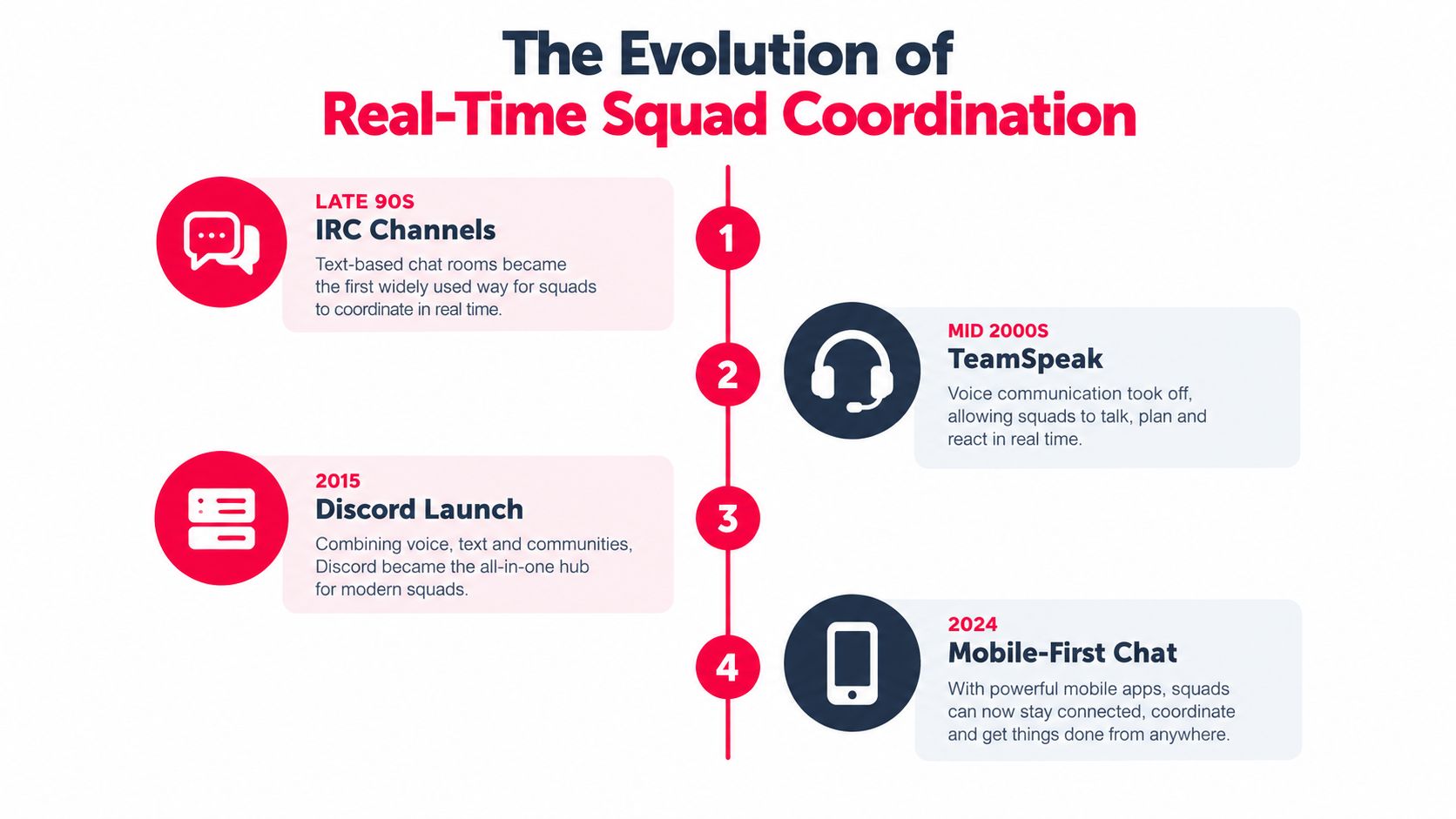
That model survived because coordination has the same basic requirement whether the group is a research team, an IRC channel, or an esports roster. Everyone needs a shared place where updates arrive quickly, replies remain visible, and the group can tell what changed.
From shared rooms to squad systems
Early group messaging established presence and simultaneity. Later systems added persistent rooms, topic separation, voice, reactions, file sharing, and mobile continuity. Gaming communities adopted those mechanics because they map naturally to squads. A team can separate recruitment from strategy, keep tournament details away from general banter, and move into voice without losing the written record.
That evolution also explains why read-aware conversation matters. A message isn't useful merely because it was sent. The squad needs to know whether players opened the relevant context, especially when an update changes a map plan or check-in instruction. The best teams chat features make the path from announcement to acknowledgement visible without turning every interaction into surveillance.
Players looking for compatible rosters also need discovery outside the chat room. A focused guide to finding gaming teammates through LFG fits the same historical pattern: shared spaces work best when they connect people to the right group and preserve context after they join.
The modern requirement
Today's squad may begin on a phone, continue on a desktop, and finish in a console voice lobby. That makes continuity more important than novelty. The room must survive device changes, time gaps, and roster changes without forcing someone to reconstruct the entire conversation.
A good platform therefore treats chat as infrastructure, not decoration. Channels provide location. Threads preserve meaning. Presence tells you who's available. Reactions provide low-effort confirmation. Voice handles live execution. Each layer earns its place by reducing the number of decisions players make before they can play.
Structuring Comms with Channels and Threads
A flat stream loses match information at the worst possible moment. The fix isn't creating dozens of rooms. It's giving every recurring conversation a clear home and telling players what belongs there.
Start with a small routing system. Use channel names that answer a practical question, such as where to find the active roster, the current tournament, or casual conversation. Keep voice and text close enough that players understand they're entering the same activity, not a separate workflow.
Build channels around decisions
A useful structure separates information by urgency and audience:
- Roster channel: Availability, role changes, substitute needs, and team announcements.
- Match channel: Map plans, opponent notes, schedules, and immediate preparation.
- Tournament channel: Registration, check-in instructions, bracket updates, and organizer notices.
- Off-topic channel: Memes, clips, general conversation, and anything that shouldn't interrupt strategy.
- Voice rooms: A lobby for setup, a match room for live play, and a review room for post-game discussion.
The point isn't neatness for its own sake. Routing protects attention. Players can mute off-topic chatter while keeping tournament alerts active, and new members can locate the current plan without scrolling through unrelated history.
Use threads as context containers
Threads should hold one decision, one review, or one subtopic. Start a thread for a map plan, keep replies about that plan inside it, then archive or rename it when the match is over. Don't use a thread as a second general chat. If every subject is mixed together, the structure stops helping.
Research on enterprise instant messaging found that features including @here messages, normalized threads, and normalized emoji were among the final predictors used to model whether a team had a submission. The relevant lesson for gaming isn't the prediction task itself. It's that mentions, threads, and reactions create measurable coordination signals rather than acting as cosmetic extras. The arXiv study of enterprise instant messaging patterns supports treating these features as routing and indexing primitives.
A thread also gives late arrivals a fighting chance. They can read the decision, inspect the relevant clip or link, and ask a focused question instead of forcing the IGL to repeat the entire plan.
Keep moderation lightweight
Moderation should protect the channel's purpose, not create a bureaucracy. Pin the current rules, give organizers control over tournament spaces, and make reporting easy. Remove harassment quickly, but don't bury normal team chatter under approval steps.
Use a simple operating rule: if a message affects the next match, it belongs in the match or event thread. If it doesn't, keep it out of the critical lane. That one habit does more for clarity than a complicated server taxonomy.
The strongest channel design feels almost boring. Players know where to post, where to look, and which room to join. That's the objective.
Managing Attention with Mentions and Read Receipts
Notifications are a resource. Spend them on players who need to act, not on everyone who happens to share a server.
A squad of five and a tournament community of sixty need different alert behavior. In a five-stack, a roster-wide ping may be appropriate when the lobby is ready. In a larger group, that same ping becomes background noise. Use direct mentions for a specific role, a small-group mention for the active roster, and broad announcements only for changes that affect the whole event.
Mentions should route action
A mention works when it answers three questions: who needs to respond, what changed, and by when. “@Controller, confirm smoke setup for the next map” is useful. “Everyone check this” forces the entire group to interpret the message and increases the chance that nobody owns the response.
Mention behavior should match the channel:
| Situation | Better alert | Reason |
|---|---|---|
| Map plan changes | Active roster mention | Reaches the players executing the plan |
| Substitute needed | Role or position mention | Targets the people who can solve it |
| Bracket update | Tournament-wide announcement | The information affects every participant |
| Clip review | Direct mention to the player or coach | Keeps feedback focused |
Enterprise messaging research reinforces this approach. Mention-driven broadcast pings concentrate attention, while threads preserve the surrounding context. Together, they let a squad escalate a message without turning every room into an alarm channel.
Read receipts need honest semantics
A read receipt should mean the player opened the conversation, not that a notification appeared somewhere on their device. Microsoft Teams uses that distinction: a sender receives a Seen confirmation when the recipient is active in the chat window, while views from notifications, the Activity feed, or banner notifications don't trigger the receipt. In group chats, the Read by list is available only when the group has 20 people or fewer. Microsoft's explanation of Teams read receipts documents those boundaries.
That design prevents false confidence. A notification glance doesn't prove someone saw the map change, understood it, or opened the thread. In a tight party, the distinction helps the IGL decide whether to wait, resend, or switch to voice.
Don't turn receipts into pressure
Read states should support timing, not punish players. A player might be driving, in a match, or using a device with limited notification access. Give the squad a clear escalation path: mention first, wait for an acknowledgement when the message matters, then use voice if the deadline is close.
Reactions also help. A simple checkmark can confirm “seen and understood” without creating another paragraph of noise. The system works when every signal has a clear meaning and players don't need to decode it mid-queue.
Cross-Platform Sync and Mobile-First Design
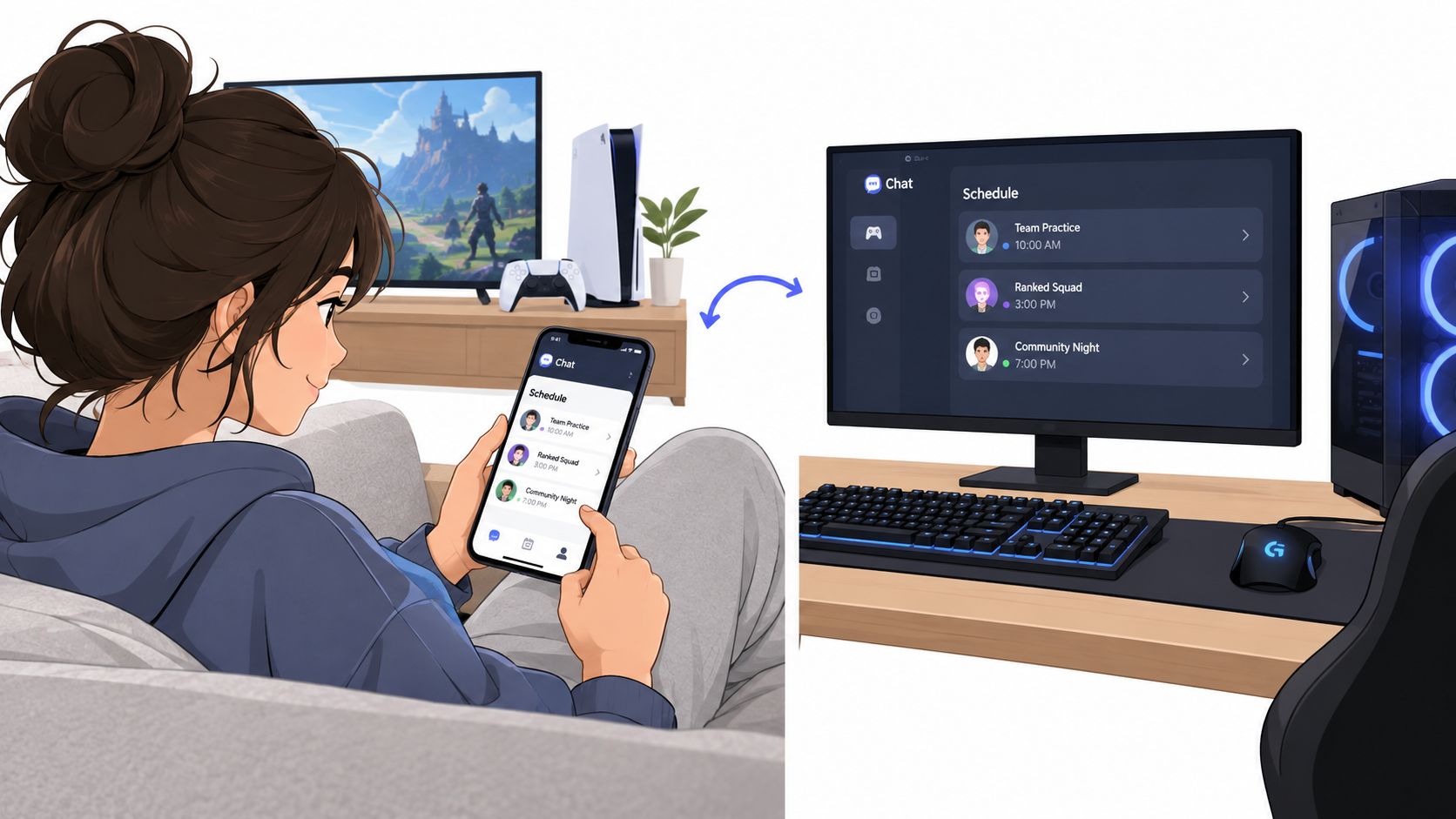
A gaming squad doesn't live at a desk. One player checks the schedule on a phone, another joins from a console, and a third responds between classes or shifts. If the chat experience assumes a single desktop session, the team starts missing context before the match even loads.
Mobile-first design isn't just a smaller version of desktop chat. It means the important actions are easy to complete with one hand, notifications can be controlled precisely, and the conversation remains readable after devices change. The same message should look coherent whether a player opens it on a phone, browser, or gaming setup.
Presence beats guesswork
A useful presence system tells the squad whether someone is available, in a match, away, or offline. It shouldn't pretend that “online” means ready to queue. Let players set a practical status such as “ranked,” “scrim,” “available after,” or “don't ping.”
Notification controls should follow the same logic. Players need separate settings for direct messages, roster mentions, tournament updates, reactions, and off-topic activity. Working-hours controls and scheduled sends help prevent a harmless planning note from becoming a late-night interruption. Market commentary identifies mobile-first design, notification controls, working-hours features, and scheduled sending as meaningful differentiators for distributed teams. Recent commentary on mobile-first team chat connects those controls to the broader problem of fragmented attention.
Preserve the handoff
The best cross-platform flow has no special “mobile version” of the team. A player can read a thread on a phone, react to a role assignment, then open the same context on desktop when they're ready to play. Links, clips, timestamps, and replies should remain attached to the original conversation.
That continuity matters for players who move between games and devices. A look at cross-platform gaming makes the larger point: compatible players need coordination that survives platform boundaries, not another silo that assumes everyone owns the same hardware.
Keep the interface simple enough for fast adoption. If players need a tutorial to mute a channel or find the active event thread, the product is spending their attention before the match starts.
Integrating Voice and Tournament Workflows
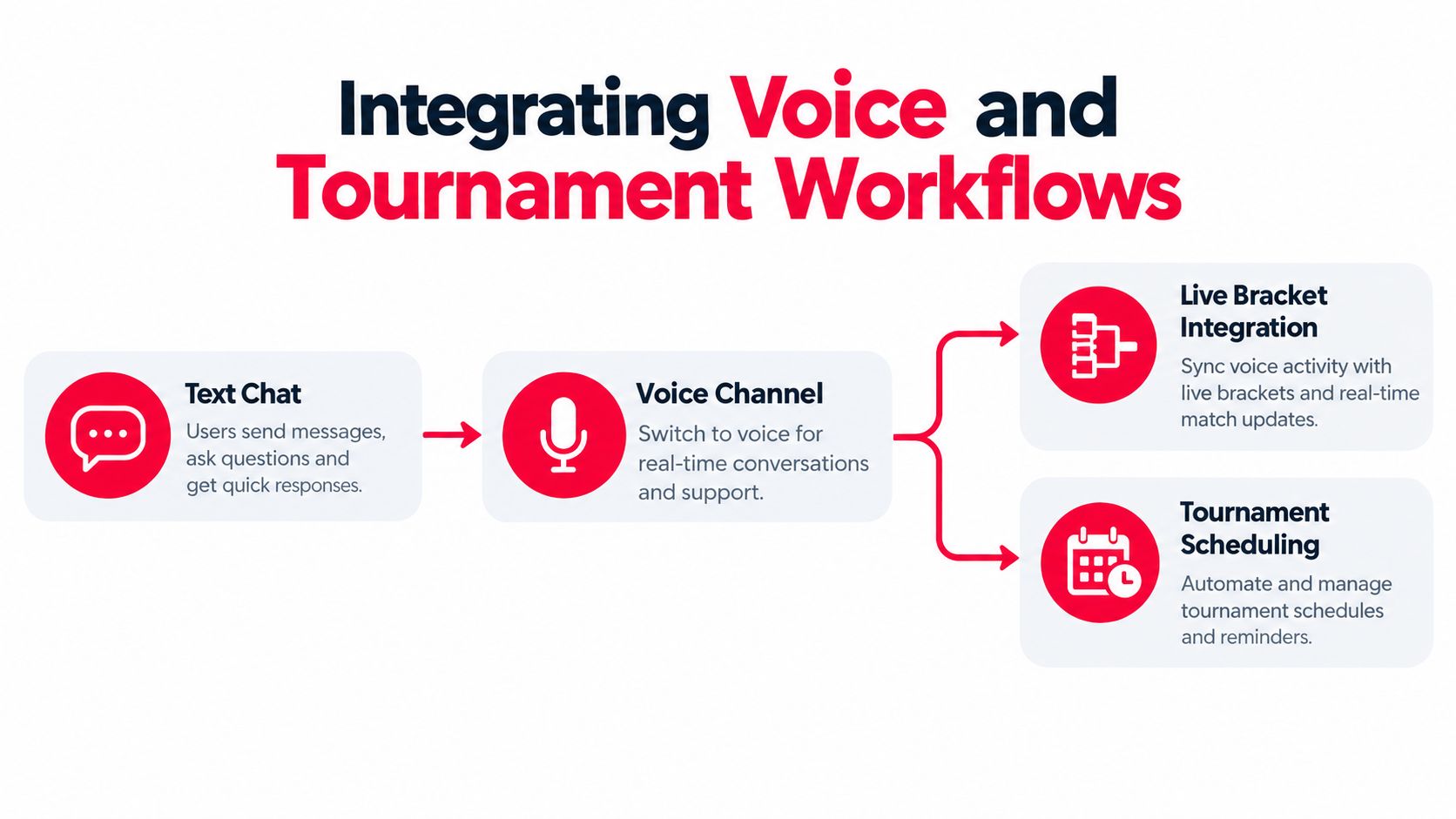
Text handles planning. Voice handles execution. Tournament coordination needs both, plus a reliable path between brackets, check-ins, roster messages, and post-match review.
Consider an amateur squad entering a weekend bracket. Before the event, the captain posts the roster in a tournament thread, confirms the required roles, and shares the first check-in instruction. Players react when they've seen it. The organizer doesn't need to chase separate DMs because the event conversation holds the current status.
One workflow from bracket to lobby
When the match is called, the squad shouldn't search for a voice link buried in another service. The event thread should point to the relevant voice room, and the voice room should make the match identity obvious. Players move from written preparation to live comms without losing the reason they're there.
A practical sequence looks like this:
- Roster confirmation: The captain posts the lineup and any substitute information in the event thread.
- Check-in: Players acknowledge availability and review the match details.
- Strategy handoff: The squad opens a match-specific thread for map notes, roles, and opponent context.
- Voice transition: Everyone joins the linked lobby for live coordination.
- Result capture: The organizer records the result and leaves the review material in the same event context.
- VOD review: Players discuss one clip or decision per thread instead of mixing every mistake into general chat.
This flow prevents the common failure where tournament administration lives in one app, strategy lives in another, and voice links appear in private messages. The team spends less time asking where to go and more time preparing.
Keep identity attached to performance
Tournament chat becomes more useful when player identity carries relevant context. Verified ranks, gameplay clips, platform details, and play style help teammates understand who they're coordinating with. That doesn't replace communication skill, but it reduces uncertainty during roster building.
Organizers also benefit from live standings, bracket visibility, and clear event permissions. Players should know which messages come from the organizer, which come from their captain, and which are ordinary team discussion. That separation keeps urgent updates from competing with banter.
Voice integration should remain lightweight. The platform doesn't need to imitate every enterprise meeting feature. It needs stable rooms, clear permissions, easy joining, and a fast return to the written thread after the match.
Building the Ultimate Squad Communication Stack
Build the stack around the match, not around a feature checklist. A competitive squad needs a small number of dependable layers that cover discovery, planning, execution, and review.
The core setup is straightforward:
- A roster space: Keep team identity, roles, availability, and rules visible.
- Persistent squad threads: Put strategy decisions, map plans, and review notes in conversations that don't vanish into a stream.
- Targeted mentions: Notify the player or group responsible for the next action.
- Read and reaction signals: Confirm that important updates were opened and acknowledged.
- Voice handoff: Move from preparation to live comms without hunting for another room.
- Tournament workflow: Keep registration, check-in, bracket updates, and results connected.
- Clip-based identity: Let potential teammates review actual gameplay instead of trusting a username.
- LFG discovery: Match by game, platform, rank, schedule, mic use, and team-play preference.
That last group matters because communication quality starts before the chat opens. If the roster is built from incompatible schedules, mismatched skill levels, or unreliable availability, no notification system can rescue the team. A practical guide to building a gaming squad treats compatibility as a selection problem first and a chat problem second.
What to reject
Avoid products that make every activity compete for attention. You don't need a task board for every callout, an AI summary for every short thread, or a sprawling permission tree for a small roster. You need durable context and fast retrieval.
Use this test before adopting a platform:
| Test | Pass condition |
|---|---|
| Match retrieval | A player can find the active plan without searching across tools |
| Alert control | The squad can separate urgent mentions from casual activity |
| Device continuity | Messages and status remain usable across phone, browser, and gaming device |
| Voice transition | Players can enter the correct live room from the active event context |
| Roster trust | Profiles show relevant gameplay and compatibility information |
| Tournament clarity | Participants can follow check-ins, brackets, and results in one flow |
GamerPlug is one option built around this gaming-specific model. It provides LFG discovery, clip-based profiles, verified ranks, persistent squad and tournament threads, mentions, read receipts, reactions, direct messages, voice-oriented coordination, and tournament tools for supported competitive games. The useful distinction is that these functions are organized around finding teammates and playing together, rather than forcing a squad into a generic office workspace.
Choose the platform that keeps the next action obvious. If your team spends more time sorting notifications than reviewing the last round, your stack is overbuilt. Strip it back, keep context attached to the match, and make every alert earn its place.
GamerPlug helps players find compatible teammates, post LFG requests, compare gameplay clips and verified ranks, coordinate through squad and tournament chat, and manage competitive events across supported games. Visit Gamerplug to build a roster with clearer context and fewer random queues.