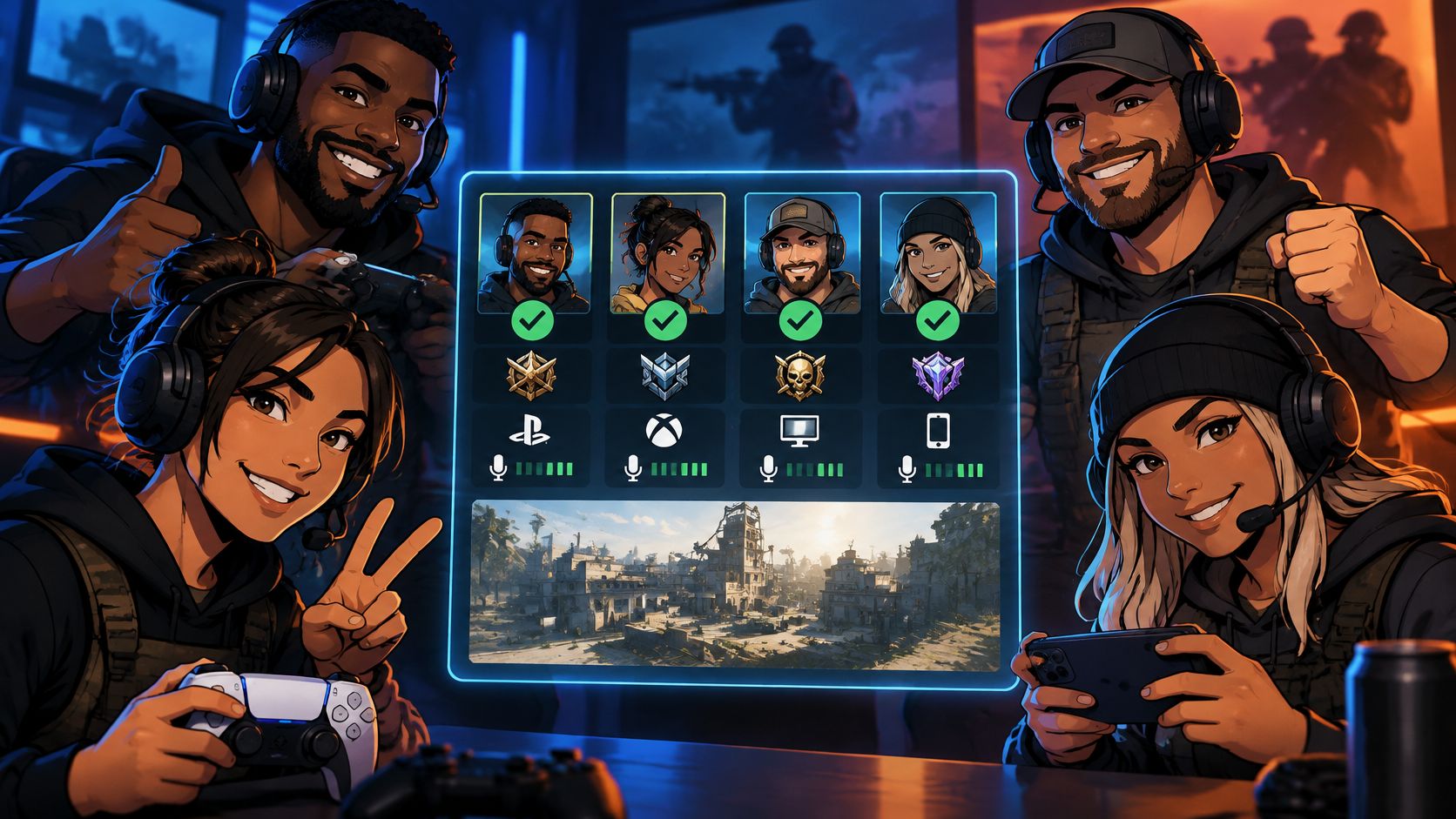
The usual Call of Duty LFG advice is to post your rank, demand a mic, and invite whoever replies first. That's how you build a full party that can't agree on a server, a push, or when to stop searching.
Compatibility includes input method, region, and acceptable queue time, not just platform and SR. A slightly lower-ranked teammate who can play your hours and follow your pace can be a better invite than an exact rank match who makes every session harder to organize.
Table of Contents
- Pick the Right Call of Duty LFG Channel
- When to Open or Restrict Crossplay
- Screen Teammates and Repair Failing Squads
- Set Comms Rules That Keep Squads Together
- Post Your Next Squad on GamerPlug Tonight
Pick the Right Call of Duty LFG Channel
The bottleneck isn't finding people who own the game. Warzone surpassed 100 million players by April 2021, according to Activision's Warzone milestone announcement. That's a cumulative player milestone, not a live count of people available for your lobby.
Your actual pool is narrower: players on a workable connection, playing your playlist, with compatible expectations. A busy channel can still be useless if every reply requires another conversation about rank, language, or whether crossplay is enabled.
Call of Duty LFG channels compared
Choose a channel for the kind of session you're building, rather than posting everywhere and managing conflicting invitations.
| Channel | Best for | Filters you can set | Main risk |
|---|---|---|---|
| GamerPlug Squads | Recurring ranked or casual squads | Game, platform, verification, mode, rank range, mic, open slots | CoD rank is self-reported, not API-synced |
| Discord LFG channels | Fast fills in large servers | Text tags for mode, rank, and platform | Unverified posts get buried |
| Xbox Looking for Group | Players already on Xbox | Game, language, and mic tags | High spam and report volume |
| In-game recent players | One more match with someone you liked | None | No rank, schedule, or comms screen |
| Reddit or Facebook groups | A standing weekly squad | Flair plus a written post template | Slow replies and public profiles |
A dedicated LFG app makes sense when you want profiles and a reusable listing instead of a disappearing message. Review gameplay, play style, and availability together. An optional identity badge isn't proof of competitive skill, and Call of Duty division and SR still need to be stated by the player.
Discord is a practical choice when your priority is filling a vacancy while the rest of the party waits. Use the specific mode channel, check whether posts receive replies, and move the conversation out of the public feed once you've found a candidate. Don't mistake a server's member count for available teammates.
Pick the channel that removes your biggest obstacle
Xbox's built-in option avoids moving a console party into another service, but a convenient invitation isn't a completed screen. Ask for the missing details before you send it.
Recent-player invites solve a different problem. You already know whether someone traded, rotated, or communicated during that match. You don't yet know whether they'll be available tomorrow.
Reddit and Facebook suit recruitment with a longer lead time. A detailed availability post is useful for building a standing squad, but it's a poor substitute for an immediate fill.
Practical rule: Pick a primary channel based on what you need to check: skill evidence, console convenience, or recurring availability. Keep another channel as a fallback, not another inbox you must constantly watch.
When to Open or Restrict Crossplay
The closest SR isn't automatically the best teammate. I'd take a slightly lower-ranked player with a stable regional connection and matching availability over an exact match who can't share a usable queue.
Input preference matters too, but be clear about why. Matching controller or mouse-and-keyboard preferences can remove disagreements about the session you want; it doesn't guarantee matching play styles, cleaner callouts, or equal ability.
Activision's community update describes separate ranked and unranked crossplay controls, including console-only and platform-restricted options, and warns that restricting crossplay can negatively affect matchmaking queue times. Treat those controls as a trade-off, not a free improvement to lobby quality.
Open crossplay or lock the pool
| Situation | Recruit | Why |
|---|---|---|
| Peak hours in a large region | Open crossplay | Keeps the available pool broad rather than adding another restriction |
| Off-peak or a small region, console comfort matters | Console-only or one platform | Preserves your platform preference, but accept a potentially longer search |
| Ranked play on one main input | Same input within a tight, eligible rank band | Avoids an input-preference argument without chasing an exact SR match |
| Restricted queue exceeds the wait you wrote down | Open crossplay first, then consider a wider region | A playable lobby beats sitting in search, provided latency stays acceptable |
| Grind or tournament night | Same region and a substantial agreed schedule overlap | Availability matters more than a matching badge if someone must leave early |
Before posting, settle region, usual hours, platform, input method, ranked tier, and wait tolerance. Those are recruiting decisions, not details to negotiate after everyone has joined voice.
The cross-platform gaming guide is useful context for separating hardware compatibility from teammate compatibility. A PC player might use a controller. A console-only party can still disagree completely about pace and objectives.
Decide what you're willing to trade
How much longer will a console-only squad wait in a smaller region? There isn't a universal answer you can responsibly put in an LFG post. Observe your own searches for that playlist and time slot, then set a cutoff you're willing to enforce.
Start by opening the platform pool rather than immediately accepting distant teammates. A wider region can introduce latency you notice during trades and close fights. Don't exchange an annoying search for an unplayable match.
Input matching can beat an exact rank match when both candidates are otherwise eligible and capable of the role. It shouldn't justify recruiting someone who can't keep up, nor should platform choice become a substitute for watching how they play.
Write your crossplay preference, input, region, and search cutoff in the post body. If a candidate has to open your bio to discover a deal-breaker, you haven't finished the listing.
For a long practice night, specify the session's start and finish, including time zone. Ask applicants to confirm the entire block, not merely whether they're online now.
Screen Teammates and Repair Failing Squads
A good screening process prevents avoidable mismatches without turning recruitment into a job application. Check eligibility first, then judge fit through play. Don't spend time reviewing clips from someone who can't join your playlist or reach your region comfortably.
Activision's Ranked Play matchmaking explanation says matchmaking weighs connection quality, search time, and relative skill, beginning with a small SR disparity and widening the range as the search continues. That's why a rank-only listing leaves out a major part of the match.
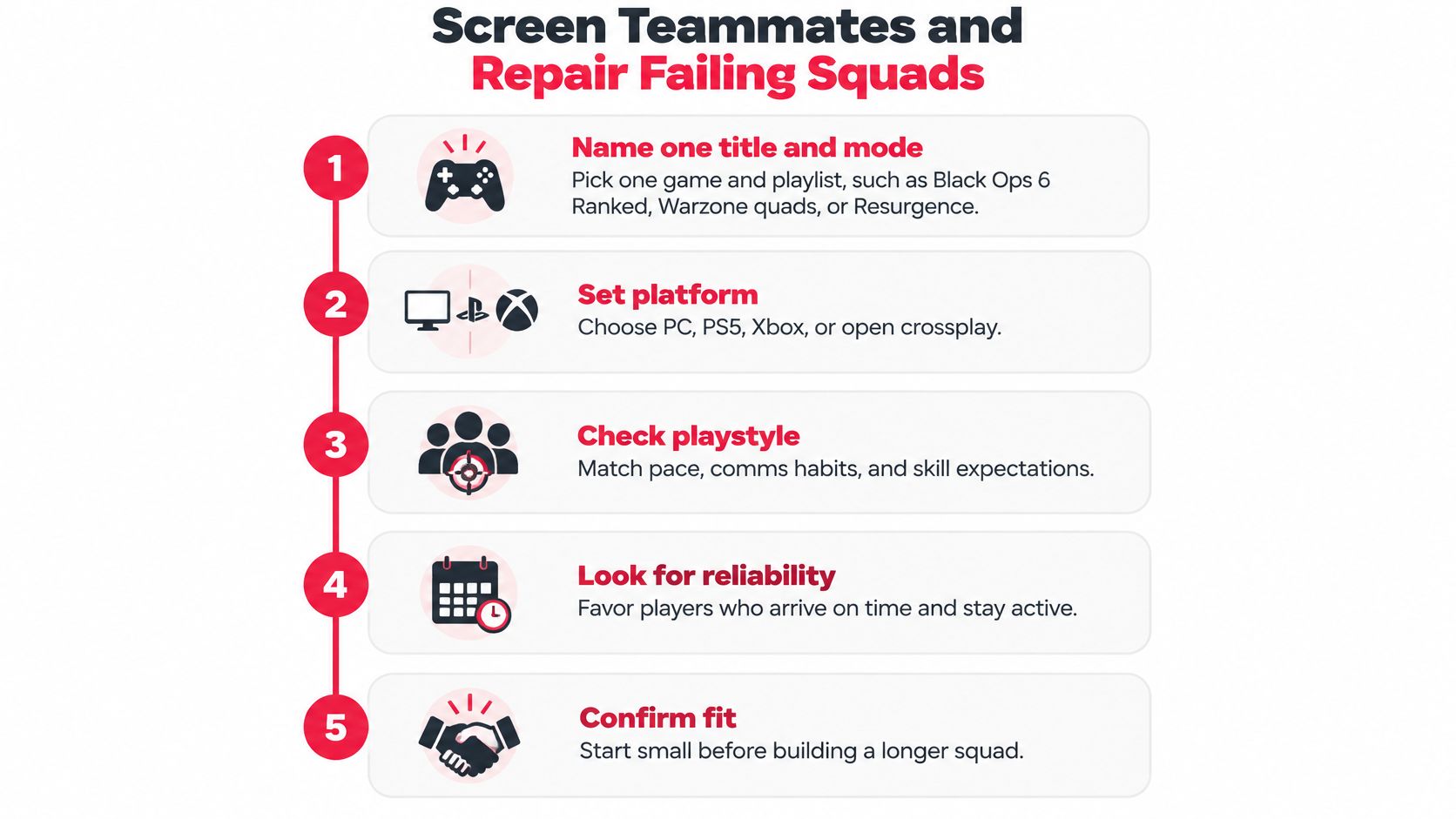
Use this screening flow to move from a broad reply to a party worth testing.
Lock the pool before sending invitations
Name the title and playlist. Black Ops 6 Ranked, Warzone quads, and Resurgence aren't interchangeable requests. State the exact experience you're recruiting for, and check the current playlist's party rules rather than assuming another mode's restrictions apply.
Set the platform policy. Choose PC, PS5, Xbox, or open crossplay. Ask applicants to confirm their actual setting, not just their hardware. Someone willing to join a mixed-platform squad may still need to change a setting before the party can search together.
Name the region and connection requirement. Use the server region you normally play and a ping ceiling based on what you find playable. Check the connection in a match rather than treating a profile location as proof. Someone living nearby can still have an unstable connection.
State the input method. Ask controller or mouse and keyboard directly. Don't infer input from platform, and don't spring a same-input requirement on someone after you've invited them.
Ask for the communication style. Have the applicant choose mic-on tactical, push-to-talk, callout-only, or text/ping-first. Confirm preferred language before the invite. You need to know how they'll communicate, not merely whether they own a headset.
Keep the exchange short. A candidate who answers the actual questions clearly has already shown something useful about how they handle instructions.
Don't demand account access or unrelated personal information to verify a claim. Ask for current in-game evidence where necessary, then let the trial decide whether the player belongs in the squad.
Check whether the party can work together
Accept a narrow, eligible rank range. Start near the host's division or use a tight SR window. Make exceptions deliberately, with the rest of the party's agreement, rather than accepting any rank because a slot remains open.
Ask for the objective in a line. Placements, SR grind, warmup, and tournament preparation require different expectations. A player practicing an unfamiliar role may be a good teammate for warmup and the wrong invite for a serious push.
Run a short trial before a longer commitment. Tell the applicant beforehand that you'll assess fit after the opening matches. Watch whether they trade, respond to a disengage call, and handle a lost round without turning the next one into an argument.
A trial isn't an aim contest. Pay attention to what happens away from the highlight: whether the player checks teammates' positions, communicates a flank, and changes a repeated mistake.
Also separate a bad result from bad teamwork. A player can lose a difficult fight while making the right decision. Conversely, someone can top the scoreboard while ignoring every agreed rotation.
Invite for the next session, not the best clip. A reliable teammate who accepts a correction is more useful than a highlight player who won't follow the party's plan.
Fix the failure you actually have
Someone leaves after an early death. Put the trial commitment in the listing and confirm it before queueing. If a player repeatedly abandons an agreed block without explanation, stop inviting them. Don't spend the next evening hoping their mechanics will compensate for an empty slot.
The lobby suddenly feels much harder. Inspect the party's rank spread before blaming everyone's aim. Under the Ranked Play rules described in Activision's explanation, full parties could group across ranks while matchmaking followed the highest-ranked player; smaller parties remained subject to skill restrictions. Check the current title's rules and cap invitations near the host's level when the group can't handle the resulting opponents.
Callouts keep getting missed. Confirm language and terminology. A teammate might understand conversational English but not your squad's shorthand for a building or route. Agree on simple location names and use pings to remove ambiguity.
The clip looks strong, but live play doesn't. Judge the trial. Look for repeated decisions, not a single missed shot, and distinguish unfamiliarity with your team from a refusal to cooperate. If the fit is wrong, end it politely rather than arguing about the profile.
Replies are mostly junk. Tighten the application prompt instead of answering every vague message. Xbox's 2024 transparency report announcement reported 2 million player reports involving LFG messages, double the previous reporting period. That's a report count, not proof that every reported message broke a rule, but it's a reason to screen console replies rather than trust them automatically.
Ask respondents to include their current mode rank, region, input, and availability in their reply. Ignore off-topic offers, don't follow suspicious links, and use reporting tools for misconduct.
Change one variable at a time
When a restricted search passes the agreed cutoff, tell the party you're opening crossplay for that session. Don't lower the rank requirement without mentioning it and hope nobody notices the change in lobby difficulty.
Keep a private session log, separated into ranked and casual play. Record early departures, misconduct reports, completed trials, and whether the same players return.
Those are your hosting results, not an industry success rate. Use them to spot a fixable pattern, such as a misleading finish time or an overly broad skill band, rather than inventing a benchmark for what a successful LFG session should look like.
Set Comms Rules That Keep Squads Together
Mic required is a weak quality signal. It confirms equipment, not listening, restraint, or useful information. In Search and Warzone, an open microphone can help the team, but constant commentary can also bury the call that matters.
An NYU Stern case study on voice-chat moderation reports that 36% of surveyed online players experienced extreme or hate-based harassment in multiplayer games during the prior year. That's a broader multiplayer finding, not a Call of Duty or app-specific result.
Choose the style before opening voice
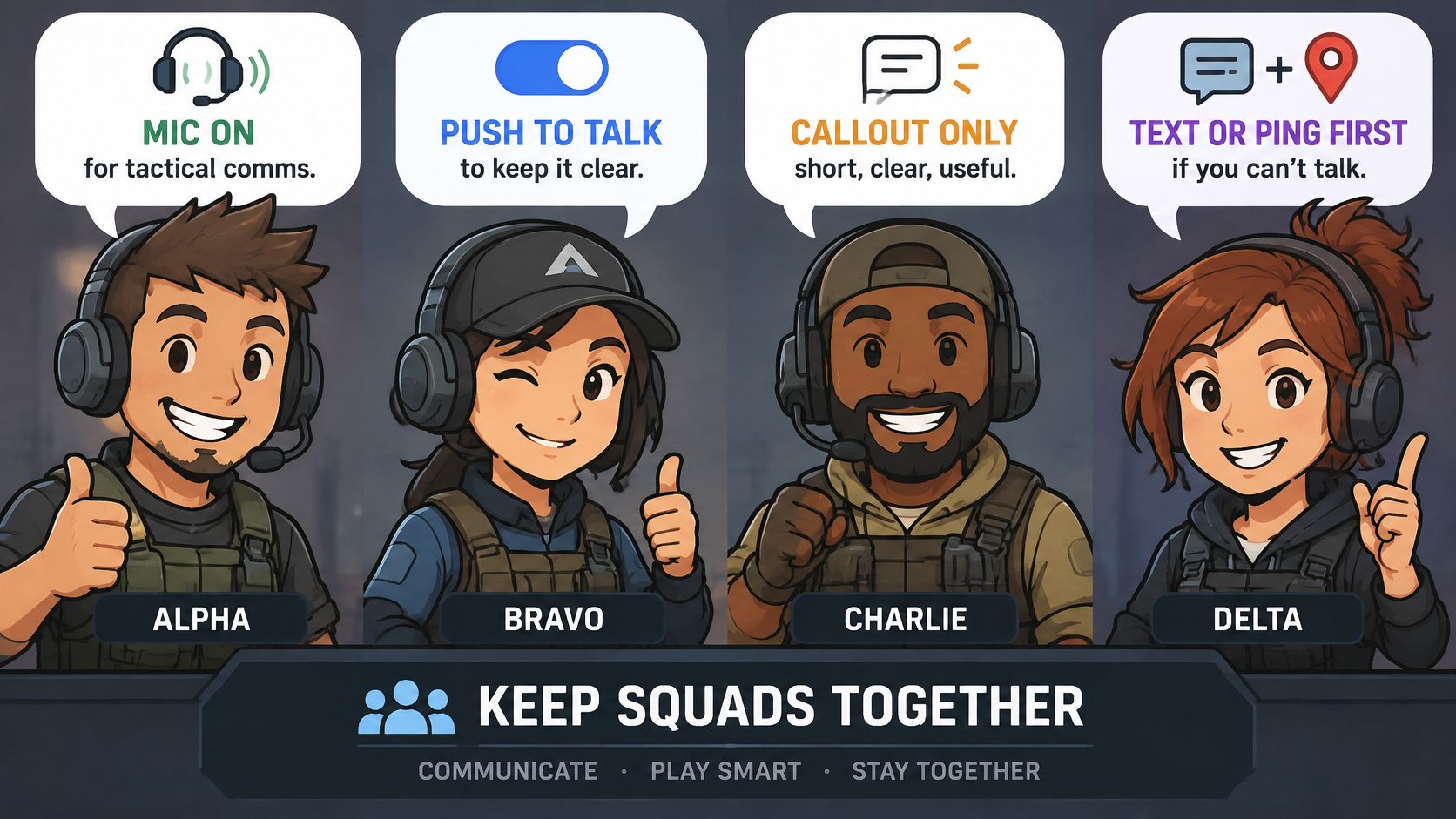
- Mic-on tactical. Players actively discuss rotations, pushes, resources, and round adjustments. Suitable when everyone wants ongoing coordination.
- Push-to-talk. Players speak when they have information and keep background noise out of the channel. Confirm that they can comfortably use the button during fights.
- Callout-only. Keep speech to enemy positions, damage, movement, and immediate decisions. Save coaching and conversation for downtime.
- Text or ping first. Use pings during action and text between engagements. Recruit for this explicitly rather than surprising a voice-dependent squad.
These styles aren't a ranking of teammate quality. A quiet player who marks a flank immediately can contribute more than someone narrating every reload.
Make the agreement visible before the first match.
Check audio and boundaries together
Run a brief voice check for clarity, background noise, preferred language, and open-mic versus push-to-talk behavior. Ask whether the player wants short tactical calls or ongoing discussion. The gaming voice-chat guide can help you choose a setup, but the squad still needs its own expectations.
Set boundaries plainly: no slurs, threats, targeted bullying, harassment, or sharing someone's personal details. Don't ask teammates to disclose their full name, city, workplace, or other identifiers to establish trust.
Activision's voice-chat moderation policy says selected voice chat is monitored and recorded using an AI-powered system, and confirmed violations can lead to voice or text restrictions or global muting. Moderation isn't a guarantee that your party won't encounter abuse.
Leave a hostile party rather than staying to win the argument. You don't owe a stranger another match after a clear boundary violation.
Mute and report a clear breach through the appropriate tools, including relevant context. Don't retaliate or coordinate false reports.
After the session, note communication quality and reliability separately. Re-invite players who respected the agreement and completed the block; excuse genuine emergencies without normalizing repeated unexplained departures.
Post Your Next Squad on GamerPlug Tonight
Publish a listing that someone can accept without interviewing you first. Open Discover, filter for Call of Duty, platform, and verification preference, then create a Squad post with the details that determine whether tonight will work.
Keep identity verification separate from rank verification. Use profile information to decide whom to contact, but ask Call of Duty players to state their current division and SR themselves. Don't label a self-reported rank as synced or verified.
Fill-in fields for your next GamerPlug Squad post
The following is a hypothetical listing, not a recommended latency threshold or a claim about ranked eligibility.
| Field | Example value |
|---|---|
| Mode | Warzone trios |
| Platform | PS5 |
| Crossplay | Open |
| Input | Controller |
| Region and ping | US East, under 70 ms in the trial |
| Rank band | Gold to Platinum, self-stated |
| Comms style | Push-to-talk |
| Language | English |
| Open slots | One |
| Night goal | A 90-minute coordinated grind, placement-focused |
| First block | Two or three matches, trial first |
If you're recruiting for unranked trios, explain that the rank band describes the players you're seeking, not the playlist itself. If you mean ranked, name the exact available ranked playlist and check its current party restrictions before publishing.
Add your actual start time and time zone. A duration without a start time still leaves applicants guessing whether they can make the session.
Give applicants a clear next action
Use the post body for details that don't fit the structured fields. Ask applicants to reply with their current rank, input, and availability, then use squad chat to confirm the trial commitment and behavior rules in writing.
If you have a gameplay clip, choose one that shows team decisions rather than only the finishing shots. A rotation, trade, or disciplined disengage gives a potential teammate something useful to discuss.
Keep audio testing in an available voice channel; use in-app text chat to arrange it, not as a substitute for hearing the microphone. Once everyone confirms, send the game invitations and start the agreed block.
If the trial works, save the players and reuse the listing with an updated session time. If it doesn't, edit the field that caused the mismatch instead of relaxing every requirement. Bracket hosting can wait for a future supported event; tonight's task is a dependable party.
Gamerplug offers teammate profiles, gameplay clips, and Squad listings so you can recruit around how you play. Visit Gamerplug, publish your Call of Duty listing, and put region, input, and queue tolerance beside your rank before sending the next invite.