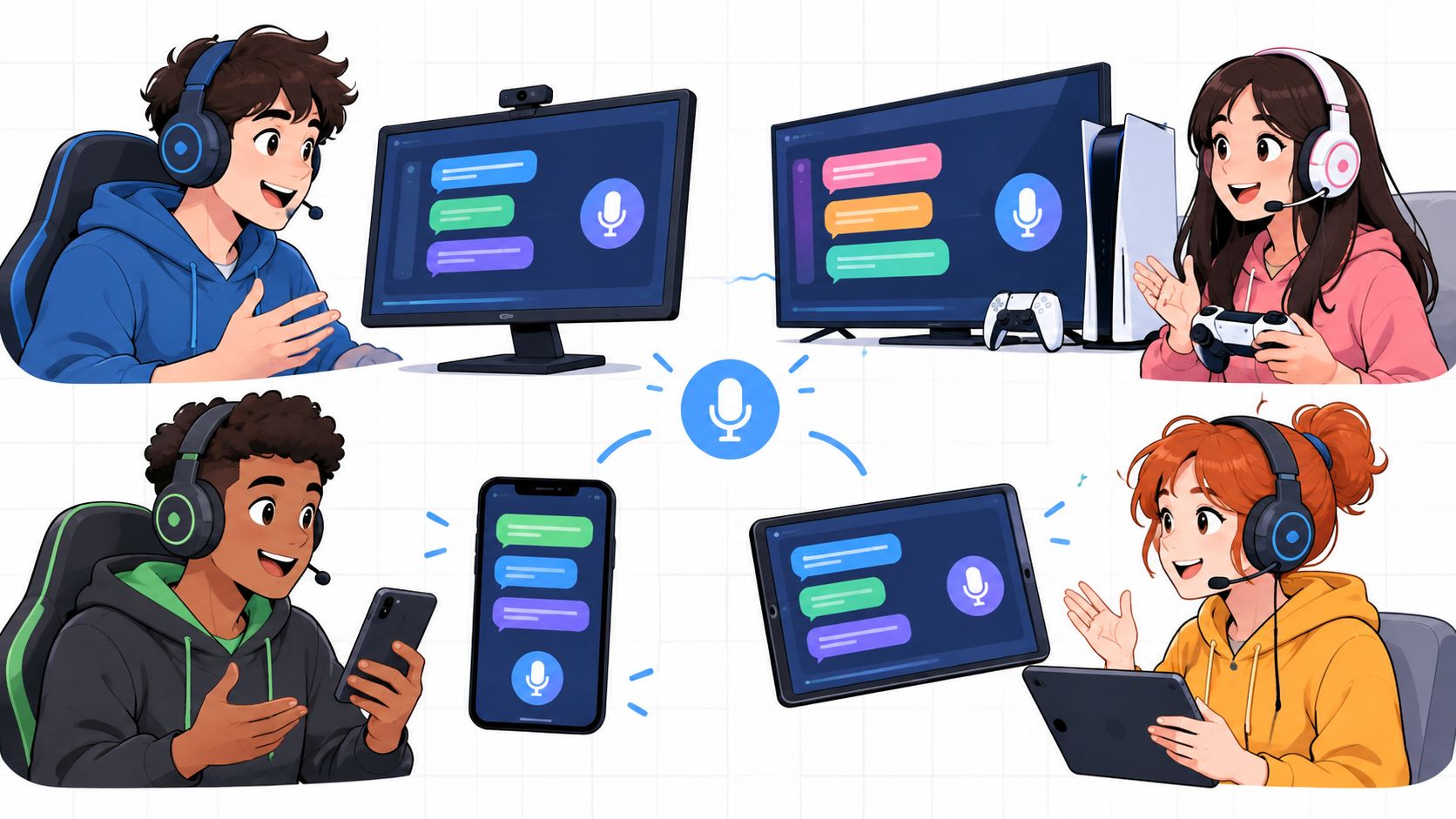
The most popular advice about team chat free is also the least useful: pick Discord and move on. That works when you already have a squad, everyone uses the same channels, and nobody needs help finding the right teammates. It breaks down before queue, when you're still looking for players who match your rank, play style, platform, mic preferences, and schedule.
A gaming communication setup has several jobs. Teammate discovery and LFG need different tools from in-game voice. Persistent community chat needs moderation and structure. Tournament groups need rosters, threads, check-ins, and brackets. Privacy-focused communities may care more about encryption or self-hosting than polished gamer features. Free tiers also differ in message history, administration, storage, integrations, and setup effort.
This list compares each option inside a real gaming workflow, not by counting enterprise features. GamerPlug handles discovery and LFG before players connect, while the other tools mainly organize communication after a group already exists. Discord remains the strongest gamer-first community layer, but it isn't automatically the best answer for every team, tournament, or private gaming group.
Table of Contents
- 1. GamerPlug
- 2. Discord
- 3. Slack Free
- 4. Microsoft Teams Free
- 5. Google Chat
- 6. Element Matrix
- 7. Zulip
- 8. Rocket.Chat Community Edition
- 9. Mattermost Free and Self-Hosted
- 10. Telegram
- Top 10 Free Team Chat Comparison
- Build the Chat Stack That Fits Your Squad
1. GamerPlug
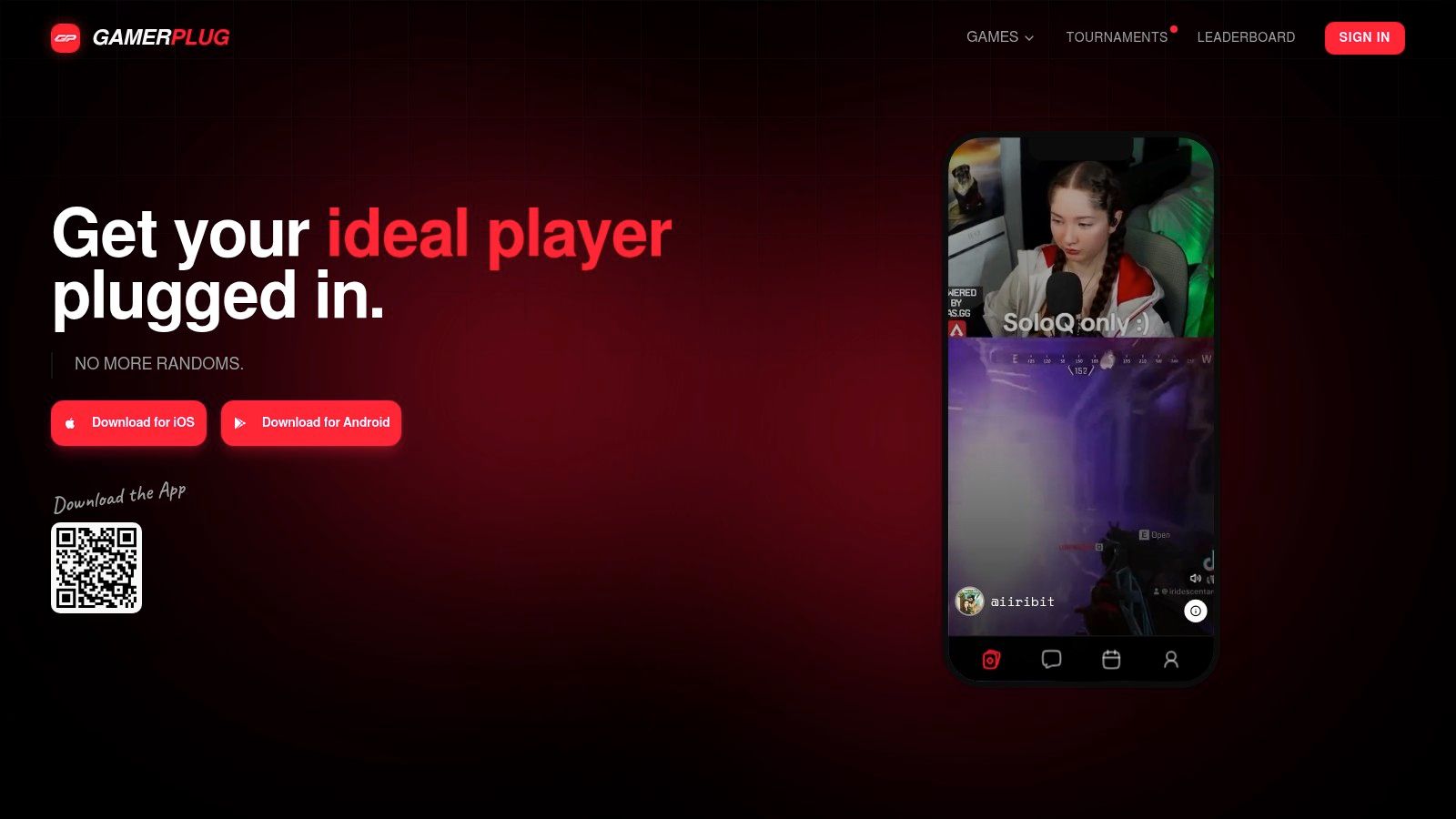
GamerPlug handles the part team chat cannot: finding the right people before the conversation begins. Its free LFG app runs on iOS, Android, and the web, supporting PC, PlayStation, Xbox, and Nintendo Switch players. Filter by game, platform, verification status, play style, microphone use, and availability, then contact players who fit the session instead of sorting through a crowded server.
Profiles include gameplay evidence. Players can upload clips up to 90 seconds, while ranks and stats for Apex Legends, Fortnite, and League of Legends sync automatically through official game APIs. That gives you more useful context for finding an Apex Legends squad, Valorant teammates, or a League of Legends duo than a username with a vague “good vibes” label.
Discovery, squads, and ongoing communication
The Discover feed shows players who share your games and platform. For a full party, create a Squads listing with the mode, rank range, microphone requirement, and available slots. After players connect, group chat, squad threads, tournament threads, DMs, mentions, read receipts, and reactions keep planning together.
Chat alone does not solve random teammate problems. Chat, pings, and emotes are read against the immediate game state, so extra messages can create friction when teammates distrust the signal or its timing. GamerPlug's clip-first profiles, optional World ID badges, and reporting tools add context and accountability before the match begins.
Practical rule: Filter for fit first. Then confirm availability, communication expectations, and the session plan before queueing.
GamerPlug also supports tournament discovery, registration, and hosting, with Single Elimination, Double Elimination, Swiss, and Round Robin formats plus live leaderboards. See the full breakdown in find gaming events and tournaments on GamerPlug. The platform supports 19 competitive titles, including Apex Legends, Valorant, Fortnite, League of Legends, Call of Duty, Overwatch 2, Rocket League, PUBG, and NBA 2K. The mobile app launched in January 2026, so player density may vary by region and niche game. Automatic rank syncing also does not cover every supported title.
For a deeper look at using voice and chat together during teammate discovery, see the voice chat for gaming guide linked in the Discord section.
Best for: Players who need to find gaming teammates, fill an LFG post, build a reliable squad, or organize a tournament before switching to persistent team communication. Start with GamerPlug when finding suitable teammates is harder than keeping in touch.
2. Discord
Discord is still the default gamer-first answer because it combines text channels, voice channels, video, screen sharing, threads, forums, roles, permissions, bots, and apps in one familiar setup. Create a server for a clan, game community, tournament, or friend group, then split it into channels for announcements, LFG, builds, clips, voice parties, and match rooms.
Its voice experience fits live play better than most work chat products. A squad can jump into a channel, share a screen when someone needs help, and keep text discussion available without creating a separate meeting. For communities, roles and permissions let organizers separate moderators, players, tournament staff, creators, and spectators.
Discord's scale explains why it has become the benchmark for free gaming chat. The platform reported more than 200 million monthly active users worldwide and about 690 million registered accounts in 2026, while independent tracking estimated roughly 30 million daily active users. Those figures come from Discord usage statistics, and they describe a platform people use habitually, not a niche utility.
Where Discord creates friction
The same flexibility creates work. A serious server needs channel naming, role permissions, onboarding, bot configuration, moderation rules, and a plan for handling spam or toxic behavior. New members can also land in a maze of channels without understanding where to post an LFG request.
The free version is strong, but some upload, streaming, and cosmetic perks sit behind Nitro or server boosts. For pure party voice, that rarely changes the decision. For a large community or tournament server, administration becomes the primary cost.
Read how GamerPlug complements voice chat when discovery needs to happen before players enter a Discord server.
Best for: Established squads, clans, creators, and gaming communities that need gamer-first voice plus persistent community infrastructure.
3. Slack Free
Slack works best when your gaming group already behaves like a project team. Its channels, DMs, file sharing, search, notifications, huddles, and app integrations create a clean workspace for an esports organization, a content team, or a tournament staff group. You can keep roster planning in one channel, sponsor tasks in another, and match operations somewhere else.
The interface is calmer than a typical gamer server. Search is useful when you're trying to recover an old scrim note, rules discussion, or tournament decision. Integrations can connect calendars, forms, task systems, and other productivity tools, which is valuable when gaming is only one part of the group's work.
The free-plan tradeoff
Slack isn't built around instant teammate discovery or low-friction gaming culture. A player looking for a ranked duo may find its channel structure too formal, while huddles are better suited to lightweight team discussions than a dedicated gaming voice environment. You'll probably still use a game-native voice tool for live matches.
The biggest operational issue is retention. On the free plan, Slack deletes messages and files older than one year on a rolling basis, so it shouldn't be your only archive for long-running league records or community knowledge. Some automation and external collaboration features also require a paid plan.
Use Slack when the group needs polished coordination around gaming, not when it needs a busy social hub. Keep LFG posts structured with game, role, rank range, time, and platform, or the clean workspace will still fill with vague requests.
Best for: Esports staff, content crews, and organized gaming teams already using productivity integrations.
4. Microsoft Teams Free
Microsoft Teams Free fits clubs and amateur esports programs already using Windows, Microsoft accounts, and Office files. It provides group chat, file sharing, meetings, roles, desktop access, web access, and mobile apps. See our full breakdown of Teams chat features. The free tier includes 5 GB of cloud storage (Microsoft Teams Free website), enough for basic documents, schedules, and event assets.
A club can share rules, schedule practice, and keep organizer discussions in one workspace. Teams also creates a clear upgrade path into Microsoft 365 if the community later needs more advanced calling, storage, or collaboration controls.
Good for administration, weaker for gamer flow
Teams works well for coaches, tournament staff, school groups, and volunteers who need structured meetings and files. Players looking to join voice and queue face more friction. Its meeting model feels heavier than a persistent gaming voice channel, especially during quick sessions.
Use Teams for planned coordination rather than spontaneous teammate discovery. It lacks the server culture, bot ecosystem, and LFG experience associated with Discord or GamerPlug. GamerPlug can handle verified teammate discovery and LFG first, then Teams can support ongoing schedules, documents, and organizer communication once players form a group.
Live-match communication depends on the game and the squad. Set clear channels and naming rules when several games share the same workspace, or match planning will become difficult to follow.
Teams is the right pick when gaming operations include administration outside play, especially for groups already working in Microsoft 365.
Best for: Windows and Microsoft 365 users running clubs, collegiate programs, or structured esports operations.
5. Google Chat
Google Chat keeps onboarding simple because it runs through a Google account and connects naturally with Gmail, Meet, Drive, and Tasks. Its Spaces organize discussions by topic, while threaded replies prevent every question from burying the main conversation. Browser, desktop, and mobile access make it easy to reach players who don't want another specialized app.
That simplicity helps for casual groups. A raid team can create a Space, pin the session details, attach a Google Sheet, and use Meet for a planned call. A tournament organizer can keep registration notes and event files close to the conversation instead of scattering them across unrelated services.
A practical fit for lightweight coordination
Google Chat isn't a gamer community platform. It lacks Discord's server culture, gaming-focused bots, and familiar voice-first habits. It also isn't a teammate-finding or gaming matchmaking app, so players still need another route to discover compatible teammates.
Advanced administration and security controls require Google Workspace. For a small friend group, that may not matter. For a school, club, or community with many organizers, the account and permission model deserves a deliberate setup before you invite everyone.
Use threads for specific topics such as “Friday ranked,” “tournament check-in,” or “clip review.” Keep the group focused, because Spaces become messy when LFG, memes, scheduling, and match notes all share one stream.
Best for: Small gaming groups that already use Google accounts and need lightweight chat tied to Meet, Drive, and Tasks.
6. Element Matrix
Element gives privacy-minded gaming communities a different model. It is an open-source Matrix client with rooms, Spaces, threads, file sharing, voice, video, federation, and an option for end-to-end encryption. Players can use a public Matrix server, choose managed hosting, or self-host for greater control over data and administration through the Element Matrix platform.
Federation is the key difference. Communities on separate Matrix servers can communicate without moving everyone into one centrally controlled service. That can work well for privacy-focused clans, independent gaming communities, or organizations that want a durable communication layer outside the usual commercial platforms.
Privacy brings setup responsibility
Element is not the fastest route from “I need a duo” to “we're in voice.” Server choice, room permissions, moderation, encryption settings, identity management, and federation behavior require more knowledge than a typical Discord setup. Self-hosting also means someone must maintain the server and handle operational issues.
The tradeoff is meaningful control. A community can make privacy and data sovereignty part of its design instead of treating them as optional settings. But encryption doesn't solve teammate discovery, rank verification, or player compatibility. You'll still need an LFG workflow, whether that comes from a separate community, a form, or GamerPlug.
Best for: Privacy-first teams and communities willing to accept technical administration in exchange for control and federation.
7. Zulip
Zulip is built for conversations that need to stay readable after the group gets busy. Its streams and topics model gives every discussion a clear home, which is useful for tournament operations, community moderation, roster changes, and game-specific strategy. Instead of one fast-moving channel swallowing every message, a team can separate “Apex roster,” “scrim results,” “rules,” and “stream schedule” into distinct topics.
Search and Markdown support make Zulip practical for documentation-heavy groups. Open-source software, integrations, data export, cloud hosting, and self-hosting also give organizers more control over how information moves through the team.
The structure is the feature
Zulip can feel slower to casual gamers because every message asks for a topic. That discipline pays off when you need to retrieve a decision, but it may be overkill for a friend group that only needs quick voice chat and memes. Its ecosystem is smaller than Slack's or Discord's, so you shouldn't expect the same range of gaming bots and community plug-ins.
The Cloud Free plan limits searchable history to the 10,000 most recent messages, according to Zulip's plan information. That makes retention planning important for long-running communities. Self-hosting changes the administration burden but doesn't remove it.
Use Zulip for the back office of a gaming organization, then connect players to a more immediate voice or discovery layer for match play.
Best for: Tournament staff, esports organizers, and strategy communities that value topic-based threading over gamer-native social features.
8. Rocket.Chat Community Edition
Rocket.Chat Community Edition offers a self-hosted Slack-style workspace with channels, DMs, threads, file sharing, desktop and mobile apps, and marketplace integrations. The Community Edition can be self-hosted with unlimited users, making it attractive for a large gaming community that wants to avoid per-user licensing and keep its infrastructure under its own control.
A tournament organization could create channels for each game, division, round, and staff function. A creator community could separate announcements, collaboration, moderation, and event planning. Rocket.Chat also has paid omnichannel options for services such as email, SMS, and WhatsApp, but those aren't necessary for ordinary gaming chat.
Don't confuse free software with zero effort
Self-hosting is the main catch. Someone has to deploy updates, manage accounts, protect the server, monitor storage, and troubleshoot access. The experience can be excellent when the community has an administrator. It can become a neglected server when nobody owns that responsibility.
Rocket.Chat also doesn't solve the hardest pre-queue problem. It can organize players after they join, but it won't automatically tell you whether a new member is the right rank, role, platform, or schedule fit. Pair it with structured LFG intake or GamerPlug if discovery matters.
Best for: Large communities and organizations that want self-hosted chat without a user cap and have the staff to run it.
9. Mattermost Free and Self-Hosted
Mattermost targets engineering, operations, and sensitive teams, but its core channels, DMs, threads, integrations, admin controls, boards, one-to-one audio calls, and screen sharing can also support serious esports operations. The free self-hosted edition keeps the data on your own servers, which matters when an organization wants control over internal discussions, player records, or event planning.
Boards add a useful layer for tournament work. Organizers can track registration, roster confirmation, match reporting, content deliverables, and follow-up tasks beside the conversations that generate them. That's more operational depth than a simple gaming messenger needs, but it can help a team that runs recurring competitions.
Strong control, real maintenance
Mattermost requires technical setup and ongoing maintenance when self-hosted. Paid Professional and Enterprise tiers add advanced calling, compliance, and AI capabilities, while hosted options reduce infrastructure work but change the cost model. The free route is best for groups that already have someone comfortable managing a server.
Like Rocket.Chat and Element, Mattermost is a communication foundation, not a player discovery engine. It won't replace an LFG app for finding a compatible Fortnite squad or League of Legends duo. Use it after recruitment, once the team needs organized internal operations.
Best for: Esports organizations, technical communities, and privacy-sensitive teams that need self-hosted chat plus boards and admin control.
10. Telegram
Telegram is the easiest option here for casual groups and large creator communities. Its groups and channels support announcements, discussion, polls, reactions, bots, voice chats, video chats, media sharing, and Topics in large groups. Players can join from multiple platforms with little onboarding friction, which makes it useful when a community includes people who don't want to adopt a specialized gaming workspace.
A creator can run an announcement channel, open a discussion group, publish tournament updates, and use polls to choose a play night. A casual clan can share clips, schedule sessions, and start a voice chat without building a complex server hierarchy. Telegram's fast media sharing also suits communities that exchange gameplay videos and event assets.
Scale isn't the same as structure
Telegram is not built specifically for team play or project collaboration. It has fewer gaming and productivity integrations than Discord, and its powerful administrative controls can become complicated as the group grows. A large group needs clear rules, moderators, anti-spam settings, and disciplined use of Topics.
It also doesn't solve teammate fit. A public group can help players meet, but usernames and broad interests don't verify rank, communication style, or availability. Use a dedicated discovery workflow first if the goal is to build reliable squads rather than just broadcast an invite.
Best for: Creators, casual clans, and large communities that need fast onboarding and low-friction announcements.
Top 10 Free Team Chat Comparison
| Product | Core features | Quality (★) | Price / Value (💰) | Best for (👥) | Unique (✨) |
|---|---|---|---|---|---|
| GamerPlug 🏆 | Clip-first profiles, rank sync, Discover swipe, Squads LFG, tournaments, chat | ★★★★★ | 💰 Free | 👥 Competitive & casual team gamers, tourney orgs, creators | ✨ Verified clips + API rank sync; built for finding real teammates |
| Discord | Servers, voice/video, threads, bots/integrations | ★★★★★ | 💰 Free / Nitro | 👥 Large gaming communities & party chat | ✨ Best-in-class voice + massive bot ecosystem |
| Slack (Free) | Channels, DMs, search, app integrations, huddles | ★★★★☆ | 💰 Free (limits) | 👥 Work teams & small communities | ✨ Polished UX and powerful search/integrations |
| Microsoft Teams (Free) | Chat, meetings, file sharing, cross-platform apps | ★★★★ | 💰 Free (upgrade to 365) | 👥 Office/Windows-centric teams | ✨ Smooth Microsoft 365 escalation path |
| Google Chat | Spaces, threaded replies, Meet/Drive integration | ★★★★ | 💰 Free with Google account | 👥 Google ecosystem users & lightweight teams | ✨ Tight Drive/Meet integration and zero-friction onboarding |
| Element (Matrix) | Rooms, E2EE, federation, file sharing, voice/video | ★★★★ | 💰 Free / self-host | 👥 Privacy-minded communities & self-hosters | ✨ Federated, end-to-end encrypted chat you can host |
| Zulip | Streams + topics threading, search, integrations | ★★★★ | 💰 Free / self-host | 👥 Busy teams needing organized threads | ✨ Topic-based threading for readable long-running chats |
| Rocket.Chat (Community) | Channels, DMs, threads, Marketplace, self-host | ★★★★ | 💰 Free self-host (paid hosted options) | 👥 Orgs needing data control & compliance | ✨ Unlimited users on self-hosted Community Edition |
| Mattermost (Free/self-hosted) | Channels, threads, calls, boards, self-host | ★★★★ | 💰 Free self-host (paid tiers) | 👥 Engineering/ops teams & sensitive environments | ✨ Rich self-host features for privacy & control |
| Telegram | Large groups/channels, voice/video, bots, Topics | ★★★★☆ | 💰 Free | 👥 Huge communities, creators & broadcasters | ✨ Scales to massive groups + fast media/file sharing |
Build the Chat Stack That Fits Your Squad
Choose the tool based on the moment where your group loses time. If the problem is finding compatible teammates, filling an LFG post, or replacing unreliable randoms, use GamerPlug first. Its Discover feed, Squads listings, clip-first profiles, game data connections, and built-in chat connect discovery with the communication that follows. For a new ranked duo, that sequence is more useful than opening an empty server and waiting for the right player to appear.
If your squad already exists and wants a gamer-first home, choose Discord. It remains the strongest general-purpose option for persistent voice, text channels, community roles, bots, forums, and creator ecosystems. Use it for clans, friend groups, public communities, and tournament hubs where players need to move quickly between voice and chat.
Productivity ecosystems should determine the next group of choices. Pick Slack when the gaming team already relies on workplace integrations and searchable project communication. Choose Microsoft Teams for Windows, Microsoft 365, school, club, and formal meeting workflows. Use Google Chat when the group runs on Google accounts, Meet, Drive, and Tasks and only needs lightweight topic-based coordination.
Privacy and administration change the decision. Element makes sense when federation, encryption, and data sovereignty matter. Zulip is the best fit when topic threading and searchable operational discussions matter more than gamer-native culture. Rocket.Chat and Mattermost work for communities that want self-hosting, internal control, and a dedicated administrator who can maintain the system.
Telegram wins when the group needs the least onboarding friction and the widest announcement reach. It's a strong choice for creators, casual clans, and large communities, but it doesn't replace a proper LFG workflow or structured tournament operations.
Test the full discovery-to-chat path before moving everyone. Post an LFG request, screen the replies, confirm rank and play-style expectations, move the group into voice, and record what caused friction. Define moderation rules before the server gets busy. Check message retention, storage, history, user limits, calling features, and administrative requirements on the free tier you'll use.
The best free setup is usually a stack, not a single app. Find the players in the right place, then keep the team in the chat layer that matches how you play.
Start with one real session, not a feature tour. If the group can find the right people, confirm the plan, communicate without drama, and return for the next match, you've chosen a useful setup. If players still spend most of their time searching for teammates, chat isn't the bottleneck yet.
GamerPlug combines verified teammate discovery, Squads LFG posts, clip-first profiles, built-in chat, and tournament tools for players who want better sessions than random queueing provides. Visit Gamerplug to find compatible teammates, fill your next squad, and move from discovery into reliable team communication.