
You've got the game installed, the crossplay settings enabled, and a friends list full of people who were “definitely on tonight.” Then ranked starts in twelve minutes, one friend is on Xbox, another is still updating on PC, your third has no mic, and the only person available wants to play a different mode. The lobby dies before the first match.
That's why play with friends online often feels harder than playing with strangers. The technology is usually the easy part. The blockers are schedule overlap, unclear expectations, weak communication, and inviting players who look compatible on paper but don't fit the way your squad plays.
Online gaming has become a social routine, not just a way to fill empty team slots. In a 2024 Pew Research Center survey of U.S. teenagers, 89% of teen video-game players said they play with other people, online or in person. A durable squad needs more than a working invite button. It needs a repeatable way to connect, communicate, show up, and decide who belongs in the next queue.
Table of Contents
- Why Queueing With Friends Online Still Feels Hard
- Setting Up Cross-Platform Play on PC, PS5, Xbox, Switch, and Mobile
- Three Reliable Ways to Invite Friends and Match With Teammates
- Voice Chat, Push-to-Talk, and the Hidden Rules of Not Being That Player
- Scheduling Sessions Without Becoming Your Squad's Project Manager
- Finding Squadmates Who Match Your Skill and Vibe With GamerPlug
- Your Weekly Squad-Building Routine
Why Queueing With Friends Online Still Feels Hard
Most players start with the wrong diagnosis. They blame crossplay, voice chat, or matchmaking when the true issue is that nobody has defined what the session is supposed to look like.
A ranked session needs different teammates from a casual drop-in. A late-night duo needs different communication habits from a tournament roster. If one player expects three focused games and another expects to disappear after the first loss, the squad has already failed before the loading screen.
Find the actual bottleneck
Run this quick check before changing settings:
- Can't join the same lobby? Check crossplay, account linking, region restrictions, and platform privacy settings.
- Can join but can't hear anyone? Check the game's voice channel, console party settings, Discord permissions, and input device.
- Everyone is technically available but sessions keep collapsing? Compare time zones, start times, session length, and commitment.
- You keep adding randoms? Your existing friends list is too small for your schedule or game mode.
- The group talks constantly but loses fights? Your comms need rules, not more volume.
- A new teammate seems fine until ranked starts? You haven't tested role fit, decision-making, or response to pressure.
The fix is a coordination system. Set up the platforms correctly, choose an invitation path that matches your situation, establish voice rules, publish your actual availability, and test new teammates before trusting them with a serious session.
Squad lead rule: Don't recruit for the game alone. Recruit for the game, role, schedule, communication style, and level of commitment.
The shift toward social play is clear. In the early broadband era, a 2003 Pew Research Center study found that only 20% of video gamers reported playing online games. By the 2020s, multiplayer play had become routine. Your job now isn't to find any lobby. It's to build one that still exists next week.
Setting Up Cross-Platform Play on PC, PS5, Xbox, Switch, and Mobile
Crossplay fails in boring ways. One account isn't linked, one privacy permission blocks outside players, or the game supports cross-progression but not cross-platform matchmaking in the mode you selected. Fix those gates before you start evaluating teammates.
Check the platform settings first
On PS5, open the game's network or online settings and look for an Enable Cross-Play option. Some games place the control in account settings rather than the console menu. If a PlayStation party works but the game lobby doesn't, check the game-specific setting instead of rebuilding the party.
On Xbox, review the console's privacy and online safety settings. Cross-network play can be blocked by the account's communication permissions, especially on managed family accounts. Allow multiplayer and communication with players outside Xbox network where the account owner permits it.
On PC, check both the launcher and the game. Steam titles may include a per-game option such as allowing play with players outside Steam. Other games use an independent account system, so the launcher friend list isn't enough.
Nintendo Switch commonly relies on the game's own account and friend system. Add the player inside the title when possible, and don't assume a Switch friend code automatically creates a usable cross-platform relationship.
Mobile players should confirm that the game supports the same server region and account type as the console or PC version. A shared title name doesn't guarantee shared matchmaking.
Link the publisher account once
Apex Legends may require an EA account connection. Other games use Riot, Epic, Activision, Ubisoft, or their own identity layer. Link the correct account before you buy cosmetics, build progression, or accept a serious roster invite.
One account, one identity: Link your platform and publisher accounts before the session starts. Don't discover an account mismatch after your squad has queued.
Crossplay also depends on the connection available at home. Players in remote areas can review this guide to gaming without fiber in rural areas, especially when unstable service causes party drops or voice interruptions. Latency isn't solved by a crossplay toggle.
For a broader look at how platform boundaries are changing, see cross-platform gaming and the future of online play. The practical rule is simple: use the same in-game account identity across devices whenever the title supports it, then test one private lobby before scheduling a ranked night.
Three Reliable Ways to Invite Friends and Match With Teammates
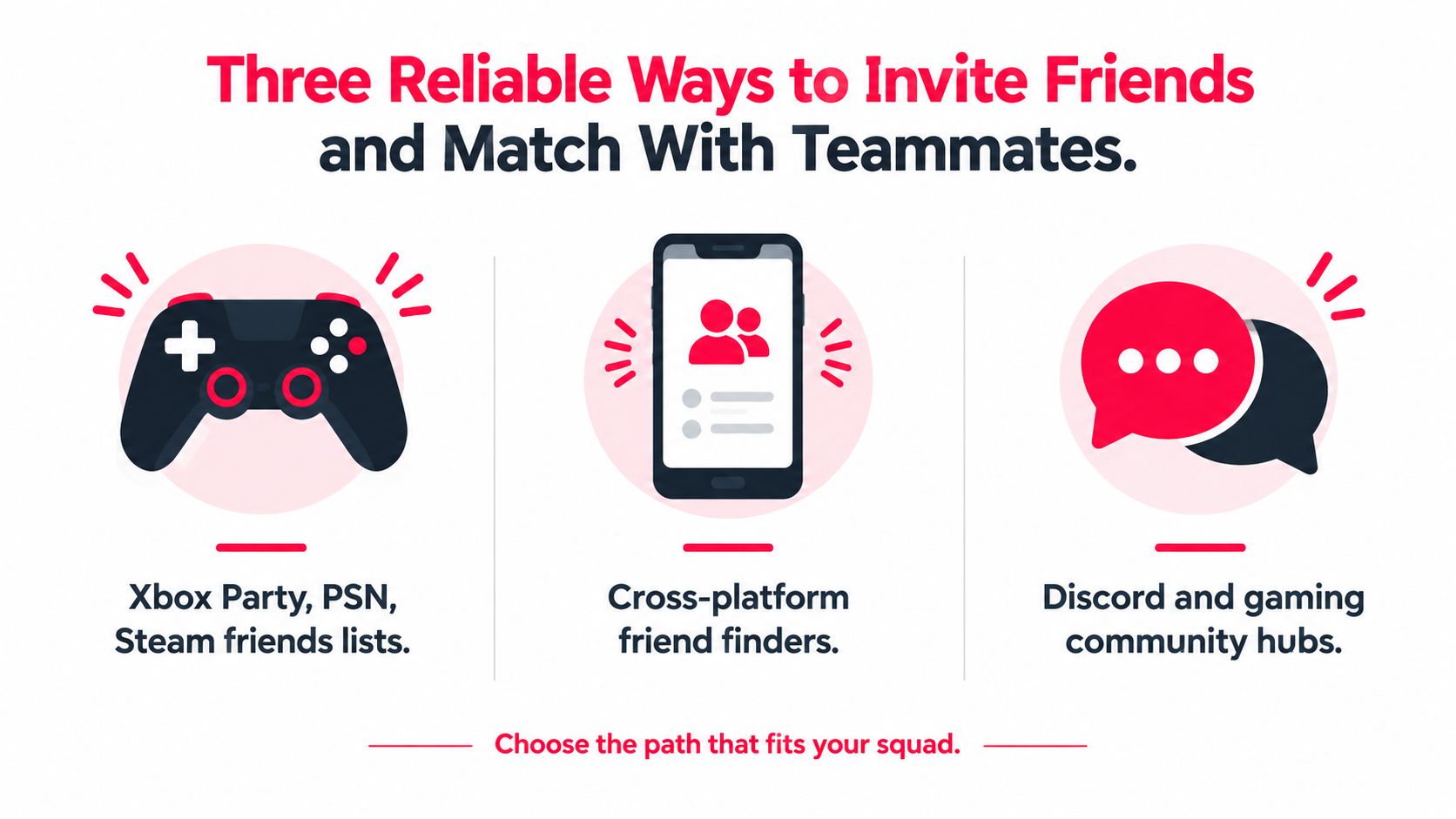
A full friends list doesn't guarantee a full squad. You need to choose the invitation path based on whether you already know the player, need a same-day filler, or want to build a new roster.
Native platform invites
Xbox Party, PlayStation Network, and Steam friends lists are still the fastest route for people you trust. Invite a known player when the game, mode, and timing already match. This works especially well for casual sessions and established duos.
The weakness is obvious: platform lists show availability, not compatibility. A green status doesn't tell you whether someone wants ranked, uses a mic, plays your role, or can stay for the full session.
In-game LFG tools
Built-in looking-for-group tools are useful when you need players immediately. Apex Legends, Destiny 2, and Overwatch 2 communities can fill a missing slot without leaving the game. Include the mode, rank range, required communication, and whether the session is casual or competitive.
Treat this as a short-term solution. Same-session LFG is quick, but the player may disappear after one match. Save the names of good teammates and ask whether they want a recurring group instead of rebuilding from zero every night.
Dedicated teammate discovery
A dedicated app is the better route when your current circle is unreliable or too small. A gaming matchmaking app can filter for the game, platform, rank, mic preference, and schedule before you send an invite. That takes longer than pressing “invite,” but it cuts down on blind requests.
| Method | Speed | Best For |
|---|---|---|
| Platform friend lists | Fastest | Known friends and regular teammates |
| In-game LFG | Fast | Filling a slot for the current session |
| Dedicated discovery apps | Deliberate | Building a reliable roster around fit |
Use friends lists for certainty, in-game LFG for urgency, and teammate discovery when you're tired of starting every session with strangers. The mistake is treating all three paths as interchangeable.
Voice Chat, Push-to-Talk, and the Hidden Rules of Not Being That Player
Apex is a good example of how a squad can lose before the fight begins. One player has an open mic broadcasting a fan, another gives three callouts at once, and the third only communicates after getting knocked. Everyone is “in voice,” but nobody shares useful information.
Use push-to-talk when your room has background noise, nearby conversations, or a loud keyboard. Use open mic only when your environment is quiet and your microphone threshold doesn't cut off the beginning of every callout. Cross-platform groups often need Discord because it gives everyone one shared channel, but in-game voice remains useful when you're playing with new people who won't join another service immediately.
Callouts need a hierarchy
During a fight, information beats personality. Say the location, action, and urgency: “Two on roof, rotating left, one cracked.” Don't narrate every thought or repeat a callout after the squad has already reacted.
Use pings as the baseline layer. Apex's ping wheel can mark enemies, locations, supplies, and movement without interrupting aim. Valorant's comms wheel and map pings serve the same purpose when voice gets crowded. Good pings support voice. They don't replace clear calls during a fast execute.
Before queueing, paste a short voice charter into the group chat:
- Mic check before queue.
- Call enemy positions, rotations, and resource needs.
- Keep optional chatter between rounds or after fights.
- Mute cleanly if someone becomes disruptive.
- Don't argue about blame while the round is active.
Background noise ruins more sessions than players admit. Use these online background noise removal tips if your mic picks up fans, traffic, or household noise. You can also review voice chat practices for gaming before setting rules for a new group.
Then watch this short visual guide before changing your setup:
Mute isn't punishment. It's maintenance. If a teammate is shouting, playing music, or talking over every call, mute them for the round and explain the rule afterward. A calm squad can fix a bad fight. A noisy squad usually can't.
Scheduling Sessions Without Becoming Your Squad's Project Manager
The squad killer usually isn't a dramatic argument. It's a vague message sent at an awkward time: “Anyone on tonight?” Three people answer hours apart, one is in another time zone, and the session never forms.
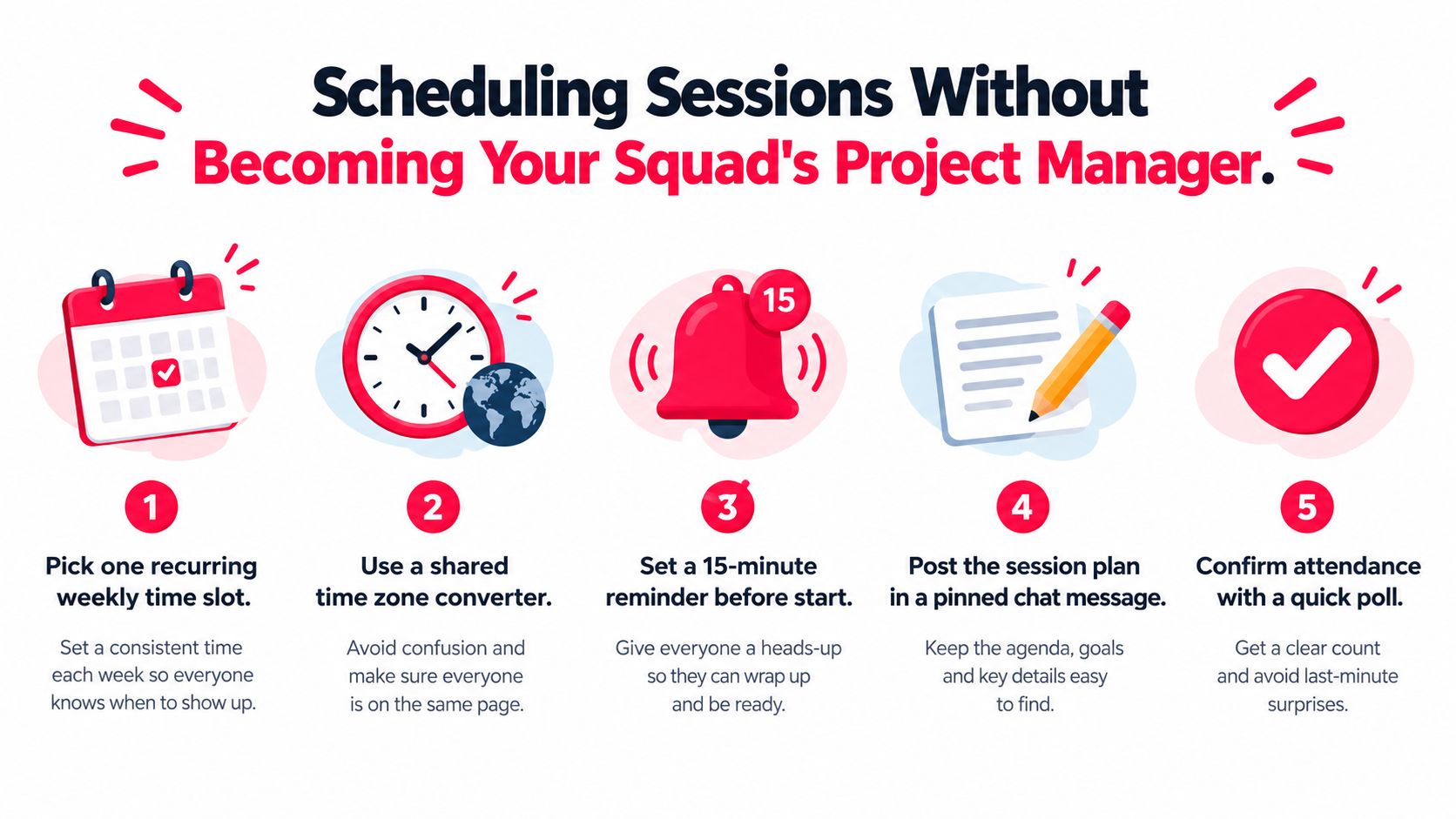
Players need a schedule profile, not a promise to “play sometime.” Write down your usual days, time zone, earliest start, latest finish, preferred session length, and whether you're available for casual or ranked play. A morning-only EU player and a weekend evening North American grinder might both be excellent teammates, but they shouldn't build a roster around random availability.
Filter by overlap, not optimism
A dependable session profile might look like this:
- Primary window: Weeknights after work or school.
- Time zone: State the region, not just the city.
- Session length: Short drop-in, focused block, or open-ended.
- Game mode: Casual, ranked, tournament practice, or mixed.
- Commitment: One-off, recurring, or substitute availability.
- Backup preference: Willing to fill in when a regular is absent.
A teammate-finding profile with a visible gaming schedule prevents the endless “are you on?” loop. It also lets you maintain a backup pool. You don't need ten regulars in the same voice channel. You need a few dependable players plus substitutes who understand the group's rules.
Stop chasing people who might be available. Filter for players who already are.
Use one recurring time slot when possible. Send a reminder before the session, pin the plan in chat, and confirm attendance with a quick poll. Don't turn the process into administration. The schedule should remove messages, not create them.
The key distinction is between availability and commitment. Someone can be online often but unreliable for a planned session. Someone else might only play on one evening each week, yet show up every time. Build around the second player.
Finding Squadmates Who Match Your Skill and Vibe With GamerPlug
Once crossplay, invites, voice, and schedules are under control, the remaining question is people. You need a way to inspect a potential teammate before handing them a ranked slot.
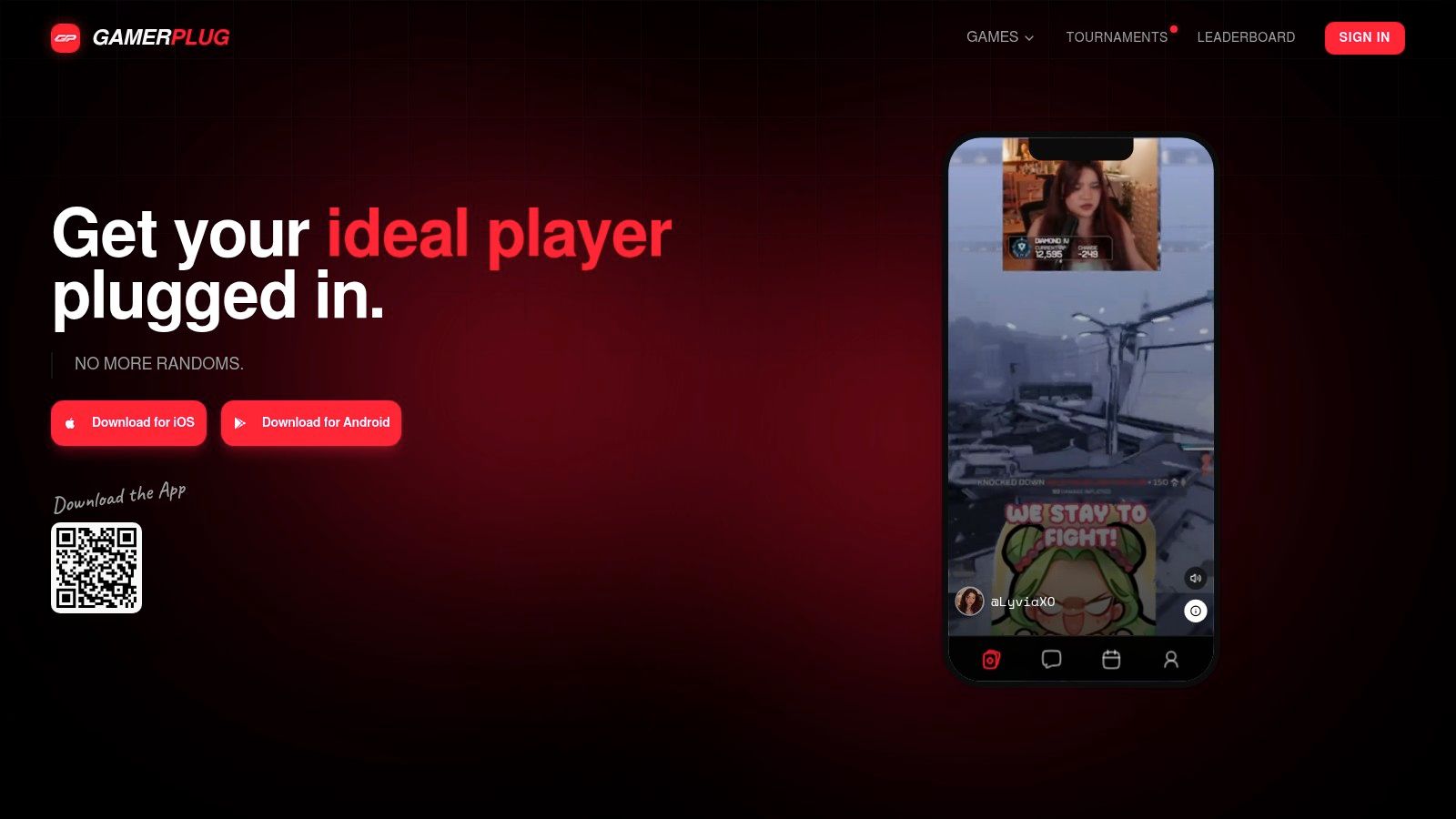
GamerPlug is one option for that discovery layer. Its profiles use gameplay clips of up to 90 seconds, verified ranks, game and platform information, mic preferences, team-play style, and gaming schedule. Rank and stats for Apex Legends, Fortnite, and League of Legends can sync through official game APIs, which gives you more context than a username alone.
Read the profile before sending the request
Use the Discover feed to narrow players by game, platform, and verification status. Don't swipe based only on rank. Look for evidence that the person fits your session:
- Role and mode: A ranked support player may not want casual flex queues.
- Communication: Check whether they require a mic or prefer pings and short calls.
- Schedule: Match the actual window, not the vague “active player” label.
- Clip quality: Watch how they make decisions, not only whether they hit a highlight.
- Team behavior: Look for awareness, repositioning, and whether they support teammates.
The Squads LFG area works better for a specific need. Post the game, mode, rank range, platform, mic requirement, and open slots. “Need two for ranked” is weak. “Looking for two patient support players for a recurring evening session, mic required, no rage queueing” gives compatible people a reason to respond.
For a broader explanation of looking-for-group workflows, see how LFG gaming works. Tournament browsing can also help players move from casual sessions into organized competition across games such as Apex Legends, Valorant, League of Legends, and Fortnite.
Build trust in stages
Don't move a stranger straight into private voice or a high-stakes bracket. Start with a public profile, then a group session, then direct chat if the interaction stays respectful. Optional World ID verification badges, gameplay clips, and in-app reporting can support that process, but they don't replace judgment.
Ask for a short trial session. Test whether the player responds to calls, shares information with the group, accepts a role, and handles a lost round without turning the channel toxic. A verified rank proves part of the player's history. It doesn't prove that they're the right teammate for your squad.
Your Weekly Squad-Building Routine
A squad stays healthy when recruitment becomes a small weekly habit instead of an emergency after three people ghost. Keep the routine light, repeatable, and focused on producing useful information.
Monday creates the session
Publish a session card with the game, mode, time zone, start window, expected length, open roles, and mic rule. Use a recurring slot when possible. Invite regulars first, then offer the remaining places to compatible substitutes.
Wednesday tests the roster
Run a low-pressure trial with anyone new. Don't judge only the scoreboard. Watch whether they communicate when the plan changes, rotate with the team, share resources, and recover after a mistake. A short trial reveals more than a polished profile.
Friday protects the main session
Use Friday for ranked play or the most important weekly objective. Keep the voice channel disciplined, assign roles before queueing, and avoid adding an untested player at the last minute unless the group agrees that the session is casual.
Sunday adjusts the roster
Review who showed up, who communicated, and who fit the group. Don't punish one absence, but don't keep rebuilding around a player who repeatedly disappears. Move reliable substitutes into regular slots and leave open places for new trials.
Research on online squads points to a useful structural lesson. A large analysis of 4,168 Dota 2 teams found that performance was strongest when teammates had moderate network connectivity, while sparse networks and fully interconnected cliques performed worse. The Dota 2 team and social-network analysis supports a practical rule: don't let one established duo control all the information.
Make every player part of the communication loop. If two friends coordinate privately while the third hears decisions late, split the pair's roles or require public calls. Research also indicates that playing with friends can help lower-skill players but may reduce performance among higher-skill players, so compare activity with outcomes rather than assuming friendship improves execution. The team-game performance research supports testing win rate, avoidable errors, objective involvement, and role fit against your normal baseline.
For safety, keep the progression public profile, group session, then private chat. Tournament organizers should review verified rank where available, recent clips, role coverage, communication expectations, and attendance before accepting a roster. If a regular stops logging on, replace the slot based on schedule and behavior, not loyalty.
Cross-progression also needs a clean identity setup. Link the same publisher account across PC and console where the game supports it, then confirm that rank, cosmetics, and progression appear before the next serious session. If they don't, stop and fix the account connection before inviting the team.
GamerPlug gives players a place to find teammates through profiles, clips, verified ranks, schedule details, LFG listings, chat, and tournament tools instead of relying on random queues. If your squad keeps collapsing because the right people never line up, visit Gamerplug, build an honest profile, and start with one short trial session.